
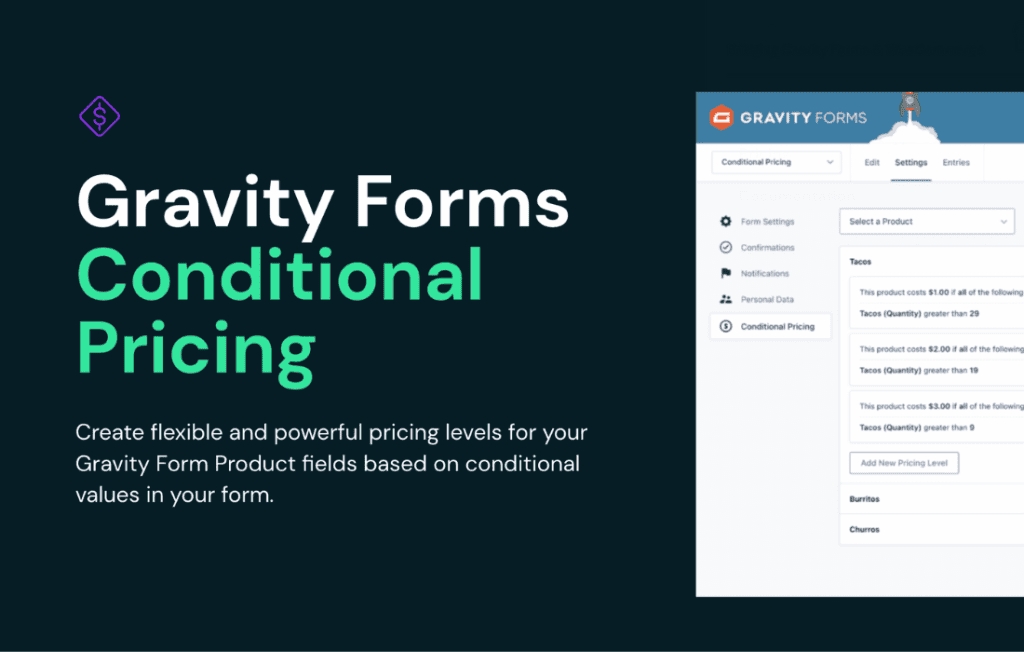
Gravity Perks Conditional Pricing transforms your Gravity Forms into a dynamic, revenue-driving engine by allowing you to adjust product prices based on user selections. Whether you are managing complex wholesale orders, offering tiered discounts, or creating custom quote forms, this plugin gives you the granular control needed to display accurate, real-time pricing without requiring a full-blown e-commerce platform. It is the essential tool for site owners who need their forms to act as intelligent calculators that adapt instantly to customer input.
Key Features
- Dynamic Price Adjustments: Easily modify the price of a Product field based on the selections made in other fields, such as checkboxes, radio buttons, or dropdowns.
- Flexible Pricing Rules: Create unlimited pricing rules to add, subtract, or set fixed prices based on specific user choices.
- Conditional Logic Integration: Leverage the familiar Gravity Forms conditional logic interface to determine exactly when and how price changes should trigger.
- Support for Multiple Products: Apply pricing adjustments to multiple products within a single form, allowing for complex order configurations.
- Real-Time Calculation: Provide immediate feedback to users by updating the total price as they interact with the form, improving transparency and conversion rates.
- Seamless Compatibility: Designed to work perfectly with Gravity Forms and other Gravity Perks, ensuring a stable and reliable experience for your business-critical forms.
Use Cases and Who It’s For
Gravity Perks Conditional Pricing is designed for business owners, agencies, and developers who need more than a static price tag on their forms. It is perfect for professionals who handle service-based or custom-product orders where the final cost depends on various factors.
If you run a printing business, you can use this plugin to increase the price based on the quantity of items, the type of paper selected, or the speed of delivery. For consultants or service providers, it allows you to build sophisticated quote forms where selecting “Premium Support” or “Additional Users” automatically updates the service total. It is also an excellent solution for membership sites or event organizers who need to offer early-bird discounts or tiered pricing structures based on specific user roles or selected add-ons.
Setup and How It Works
Getting started with Conditional Pricing is straightforward, as it integrates directly into the existing Gravity Forms interface you already know.
- Install and Activate: Once the plugin is installed, navigate to the Perks menu in your WordPress dashboard to ensure it is active.
- Configure the Product Field: Open your form and select the Product field you wish to modify.
- Define Pricing Rules: Within the field settings, locate the Conditional Pricing tab. Here, you can define the rules that trigger price changes.
- Set the Logic: Choose the fields that should influence the price and define the specific values that trigger an increase or decrease.
- Save and Test: Save your form settings and preview the form on the front end to verify that the total updates correctly as you toggle different options.
Similar Plugins
While Gravity Perks Conditional Pricing is a specialized tool within the Gravity Forms ecosystem, users looking for broader e-commerce functionality often explore plugins like WooCommerce Product Add-Ons or YITH WooCommerce Product Add-Ons. These alternatives are specifically designed for the WooCommerce platform. If you are working exclusively within the Gravity Forms environment, Gravity Perks remains the standard for extending form functionality without migrating to a separate e-commerce system.