
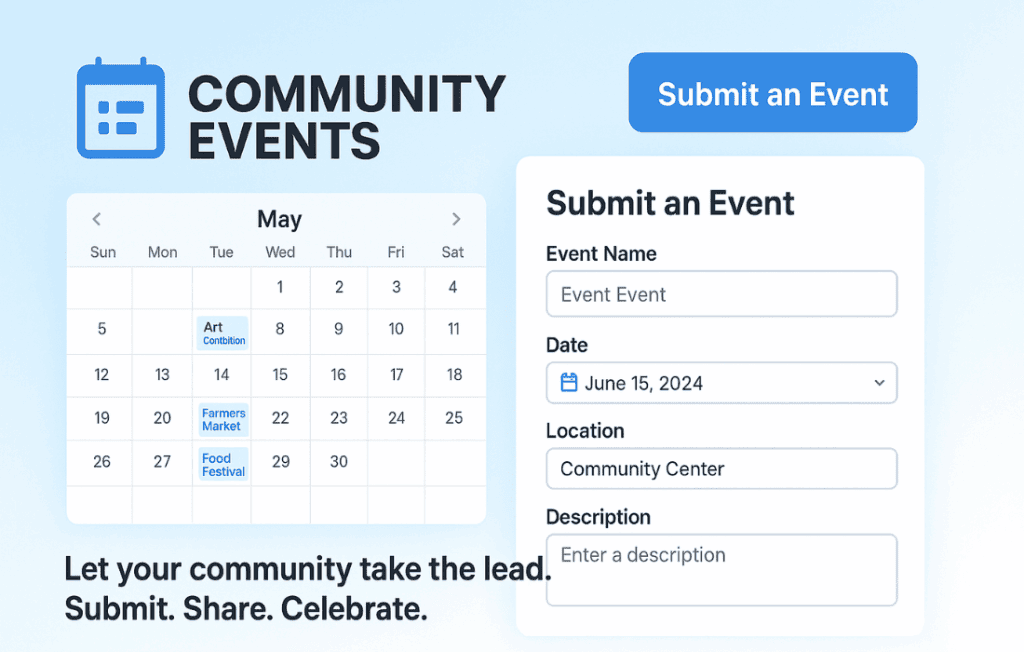
Transform your website into a vibrant community hub by allowing your users to submit their own events directly to your calendar. The Events Calendar – Community Events is the essential add-on for site owners who want to grow their traffic and engagement without the manual labor of data entry. By empowering your audience to contribute, you create a self-sustaining ecosystem of content that keeps your calendar fresh, relevant, and packed with local or niche activities, all while you maintain complete control over what gets published.
Key Features
- Frontend Submission Forms: Provide a clean, professional submission interface on the front end of your site, so users never need access to your WordPress dashboard to add their events.
- Customizable Submission Fields: Tailor the submission form to collect exactly the information you need, ensuring every event entry meets your site’s standards.
- Moderation Controls: Maintain quality and brand integrity by choosing whether user-submitted events go live immediately or wait in a queue for your manual review and approval.
- User Account Integration: Allow logged-in users to manage their own event submissions, making it easy for them to edit or update their details after the initial post.
- Automated Email Notifications: Stay informed with automatic email alerts whenever a new event is submitted, ensuring you never miss a chance to review new content.
- Seamless Theme Integration: Built to work harmoniously with The Events Calendar, ensuring that user-submitted events look just as polished as the ones you create yourself.
Use Cases and Who It’s For
This plugin is designed for community leaders, local news outlets, niche hobby groups, and business directory owners who want to scale their content efforts. If you are running a local city guide, you can empower local businesses and non-profits to post their own events, saving you hours of research and typing. For niche hobby sites, this tool allows members to share workshops, meetups, or community gatherings, turning your site into the go-to resource for your specific audience.
By shifting the burden of content creation to your community, you not only save time but also foster a stronger sense of connection among your users. It is the perfect solution for any site owner who recognizes that the best content often comes from the community itself, but who still requires the professional oversight to ensure the site remains organized and high-quality.
Setup and How It Works
- Install and Activate: Ensure you have The Events Calendar plugin active on your site, then install and activate the Community Events add-on.
- Configure Settings: Navigate to the plugin settings to define your submission form fields, set your moderation preferences, and customize the user experience.
- Create the Submission Page: Use the provided shortcode to place the submission form on any page of your website.
- Manage Submissions: Once live, monitor your WordPress dashboard for new submissions. Review, edit, or approve events to push them to your live calendar.
- Engage Your Users: Encourage your audience to share their events, and watch as your calendar populates with diverse, community-driven content.
Similar Plugins
If you are exploring other ways to manage community contributions, you may also consider plugins like WP Event Manager, which offers its own suite of frontend submission tools, or various general-purpose frontend submission plugins that allow users to create standard WordPress posts. However, for those already deeply invested in the ecosystem of The Events Calendar, this add-on remains the most direct and compatible choice for maintaining a unified event management experience.