
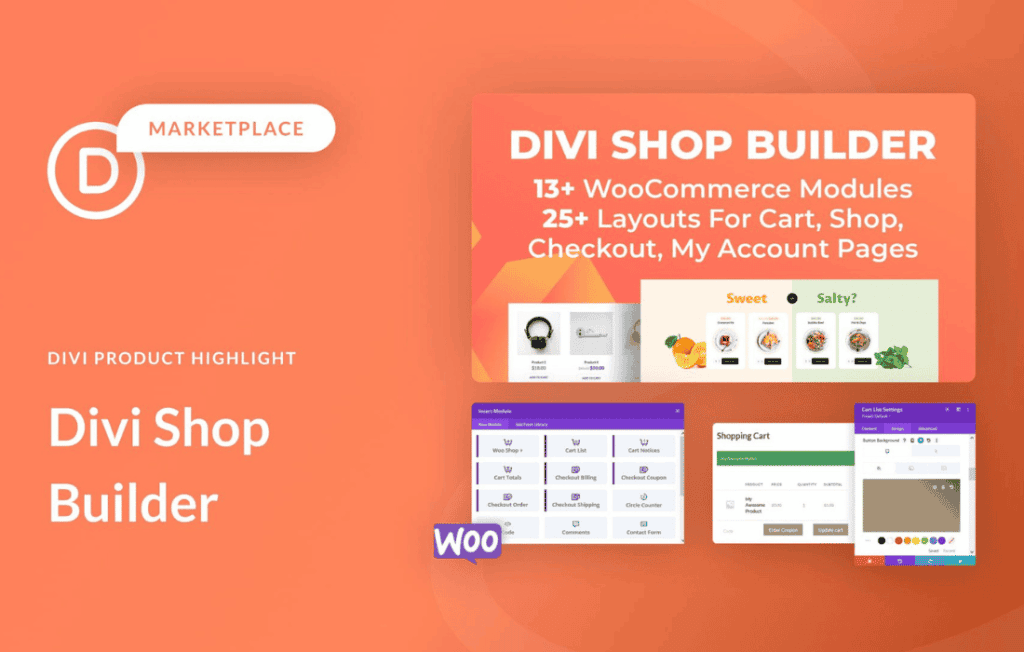
The Divi Shop Builder plugin empowers WooCommerce store owners to break free from rigid, default shop layouts and design fully custom, high-converting shopping experiences directly within the Divi Builder. By extending Divi’s native capabilities, this tool allows you to craft unique product pages, archive templates, and checkout flows that perfectly align with your brand identity—all without writing a single line of code.
Key Features
- Custom Product Page Layouts: Design every element of your single product pages, including product titles, prices, descriptions, add-to-cart buttons, and related products, using the drag-and-drop Divi interface.
- Dynamic Archive Templates: Create stunning shop, category, and tag pages that go beyond standard grid layouts, allowing you to showcase your products exactly how you envision them.
- WooCommerce Module Integration: Access a suite of dedicated Divi modules specifically designed for WooCommerce, enabling you to place essential store elements anywhere on your site.
- Full Design Control: Apply Divi’s advanced styling options—such as custom spacing, typography, borders, shadows, and animations—to every WooCommerce element to create a cohesive and professional look.
- Conditional Logic and Visibility: Control exactly when and where specific elements appear, ensuring your store layout remains clean and relevant based on user behavior or product categories.
- Seamless Compatibility: Built specifically to work in harmony with the Divi theme, ensuring that your custom designs remain responsive and performant across all devices.
Use Cases and Who It’s For
Divi Shop Builder is designed for e-commerce entrepreneurs, web designers, and marketing agencies who refuse to settle for the generic “out-of-the-box” look of WooCommerce. If you are a store owner looking to increase your conversion rates by creating a more engaging and trustworthy shopping journey, this tool is your solution.
Designers will find this plugin indispensable for client projects, as it eliminates the need for complex custom coding or third-party theme overrides. Whether you are building a boutique fashion store, a digital product marketplace, or a large-scale inventory site, Divi Shop Builder provides the flexibility to create a bespoke user experience that drives sales and keeps customers coming back.
Setup and How It Works
Getting started with the Divi Shop Builder is designed to be intuitive for anyone already familiar with the Divi ecosystem.
- Installation: Install and activate the plugin on your WordPress site alongside Divi and WooCommerce.
- Template Creation: Navigate to the plugin’s template builder section to create a new layout for your shop archives or single product pages.
- Drag-and-Drop Design: Open the Divi Builder on your new template and use the dedicated WooCommerce modules to place your product elements exactly where you want them.
- Customization: Utilize the standard Divi design settings to style your elements, adjust layouts for mobile, and fine-tune the visual hierarchy of your store.
- Assignment: Assign your custom template to specific products, categories, or the entire shop globally, and save your changes to instantly update your live store.
Similar Plugins
If you are exploring options for customizing WooCommerce with Divi, you may also encounter other solutions such as the Divi BodyCommerce plugin, which offers similar functionality for extending WooCommerce layouts, or the native WooCommerce Builder features often found within the Divi Theme Options and Theme Builder. Each of these tools aims to bridge the gap between WooCommerce functionality and Divi’s design flexibility, though they may differ in their specific module sets and workflow preferences.