
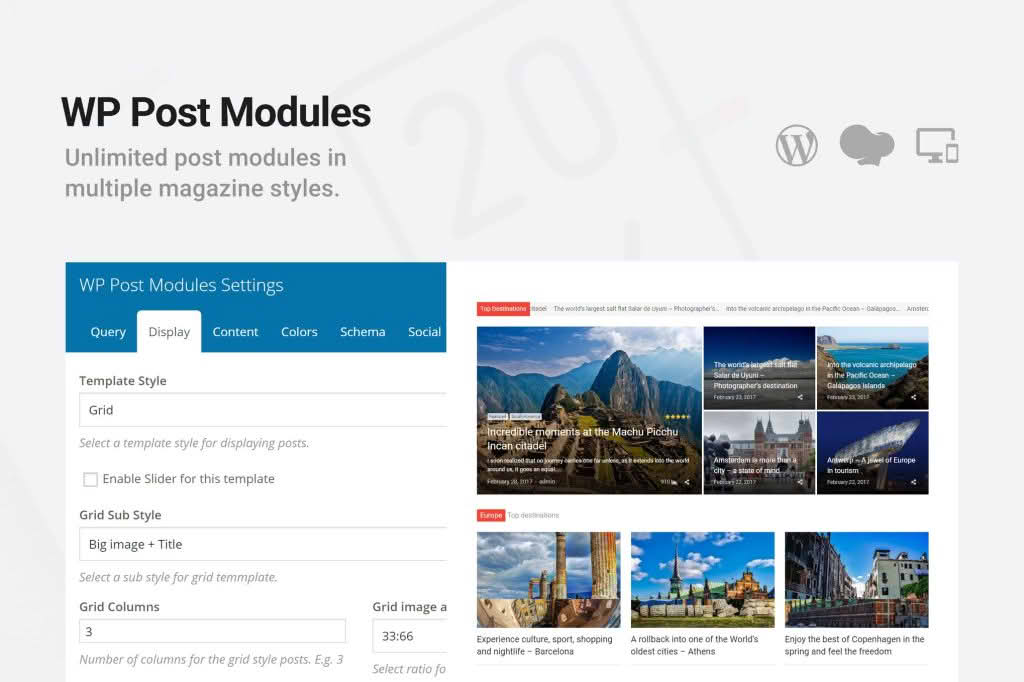
Transform your WordPress site into a professional-grade news portal or high-traffic magazine with WP Post Modules for News & Magazine. Designed specifically for content-heavy websites, this plugin empowers you to break free from rigid theme layouts by providing a flexible, drag-and-drop system to display your articles exactly how you want them. Whether you are managing a local news site, a niche blog, or a large-scale digital publication, this tool ensures your most important content captures your readers’ attention immediately.
Key Features
- Dynamic Post Grids and Lists: Choose from a variety of pre-built layout styles to showcase your latest, trending, or category-specific posts in visually engaging formats.
- Advanced Filtering Options: Easily curate content by category, tag, author, or post format to create highly targeted sections on your homepage or landing pages.
- Customizable Query Controls: Take full control over what appears in each module by setting post counts, offset numbers, and specific ordering parameters like date, popularity, or comment count.
- Responsive Design: Every module is built to be mobile-friendly, ensuring that your layout remains clean and readable across smartphones, tablets, and desktop computers.
- Performance Optimized: Built with clean code to ensure that your site remains fast and responsive, even when displaying multiple complex post modules on a single page.
- Seamless Integration: Designed to work harmoniously with most modern WordPress themes, allowing you to insert modules via shortcodes or dedicated block editor widgets.
- Typography and Styling Options: Adjust the look and feel of your post titles, excerpts, and metadata to match your brand identity without touching a single line of CSS.
Use Cases / Who It’s For
WP Post Modules for News & Magazine is the ideal solution for content creators who need to manage a high volume of articles without relying on complex page builders or custom development. If you run a digital magazine, you can use these modules to create distinct sections for “Editor’s Picks,” “Latest News,” and “Trending Topics,” keeping your homepage fresh and organized.
For news organizations, the plugin provides the structural reliability needed to highlight breaking news at the top of the page while maintaining a categorized archive below. Bloggers and niche publishers will also find it invaluable for creating “Best Of” lists or thematic landing pages that encourage readers to stay longer and explore more of their content. If you are tired of your theme‚Äôs restrictive homepage layout, this plugin provides the design freedom you need to prioritize your best work.
Setup / How It Works
- Installation: Install and activate the plugin through your WordPress dashboard just like any other standard plugin.
- Module Configuration: Navigate to the plugin settings area to create a new module. Select your desired layout style, such as a featured slider, a list view, or a multi-column grid.
- Define Content Source: Use the query builder to define which posts should appear in the module. You can filter by specific categories, exclude certain posts, or set a limit on how many items are displayed.
- Styling: Customize the appearance by toggling elements like post thumbnails, excerpts, author names, and publication dates to suit your site’s aesthetic.
- Placement: Once configured, the plugin generates a shortcode or a block widget. Simply copy and paste this into any page, post, or sidebar area where you want the module to appear.
Similar Plugins
If you are exploring options for content display, you may also want to look into plugins such as Post Grid, Content Views, or the native Query Loop block provided by WordPress core. Each of these offers different approaches to displaying post collections, ranging from simple grid displays to more advanced, developer-focused query builders.