
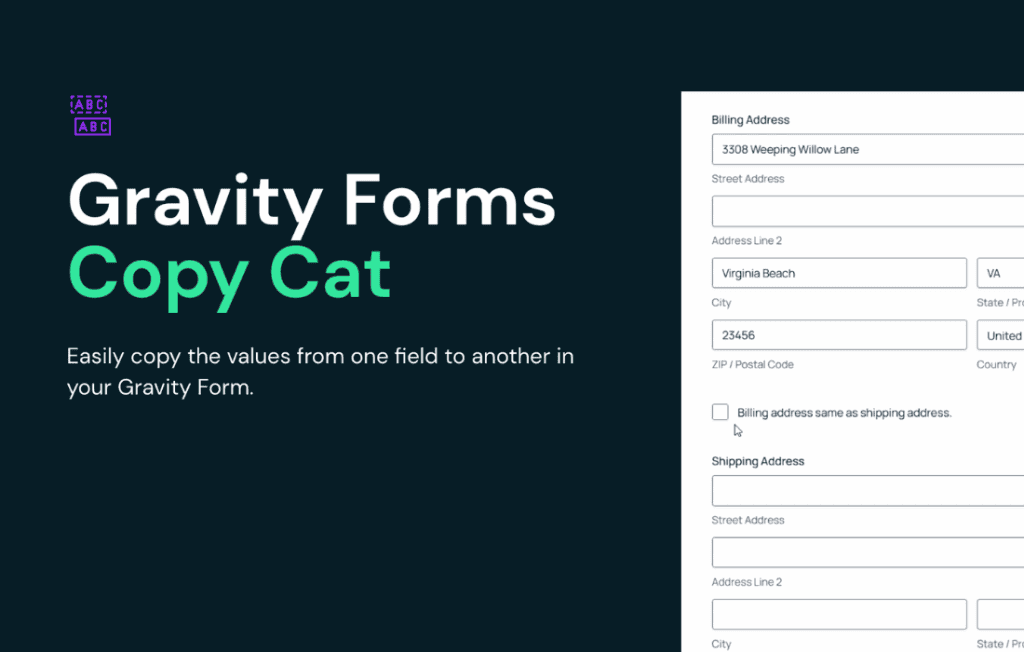
Gravity Perks Copy Cat is a powerful extension for Gravity Forms designed to streamline data entry and improve the user experience by allowing your visitors to instantly duplicate field values. Instead of forcing users to re-type identical information, this plugin adds a simple checkbox that enables them to copy data from one field to another with a single click. It is an essential tool for any site owner looking to reduce form abandonment, minimize user frustration, and ensure data consistency across complex forms.
Key Features
- Effortless Data Duplication: Add a simple checkbox to your forms that allows users to copy values from one field to another instantly.
- Flexible Field Support: Works seamlessly with a wide variety of Gravity Forms field types, including text, email, phone, and address fields.
- Customizable Labels: Easily configure the checkbox label text to match your site’s tone and ensure clarity for your users.
- Multiple Copy Targets: Configure a single source field to populate multiple destination fields, perfect for complex forms requiring repeated data.
- Conditional Logic Compatibility: Integrate Copy Cat with Gravity Forms’ native conditional logic to show or hide the copy option based on user input.
- Lightweight and Efficient: Built with performance in mind, ensuring your forms remain fast and responsive without adding unnecessary bloat.
Use Cases / Who It’s For
Gravity Perks Copy Cat is designed for anyone who manages forms where users frequently repeat the same information. If your forms require users to enter their billing address and then their shipping address, this plugin is a game-changer. By providing a “Copy Billing Address to Shipping” checkbox, you eliminate the tedious task of manual re-entry, which is a common friction point that leads to form abandonment.
This plugin is ideal for:
- E-commerce Store Owners: Simplify the checkout process by allowing customers to copy billing information to shipping fields with one click.
- Service Providers: If you use forms to collect contact details for multiple individuals or locations, Copy Cat allows users to duplicate primary contact information to secondary fields effortlessly.
- Event Organizers: Simplify registration forms where a primary attendee might be registering multiple guests with similar contact or company details.
- Human Resources and Admin: Streamline internal forms where specific data points, such as department codes or office locations, need to be populated across several fields in a single submission.
Setup / How It Works
Getting started with Gravity Perks Copy Cat is straightforward and designed to integrate directly into your existing Gravity Forms workflow.
- Install and Activate: Once you have installed the plugin, ensure it is active on your WordPress site.
- Access Field Settings: Open the Gravity Form you wish to modify and click on the field that you want to act as the “source” (the field from which data will be copied).
- Enable Copy Cat: Navigate to the Copy Cat settings within that field’s options.
- Configure Targets: Select the “destination” fields where you want the data to be copied.
- Customize the Label: Set the text for the checkbox that the user will interact with.
- Save and Test: Save your form and preview it on the front end to ensure the copy functionality works as expected for your users.
The plugin handles the underlying JavaScript automatically, meaning you do not need to write any custom code to achieve this functionality. Once configured, the checkbox appears automatically, providing an intuitive experience for your site visitors.