
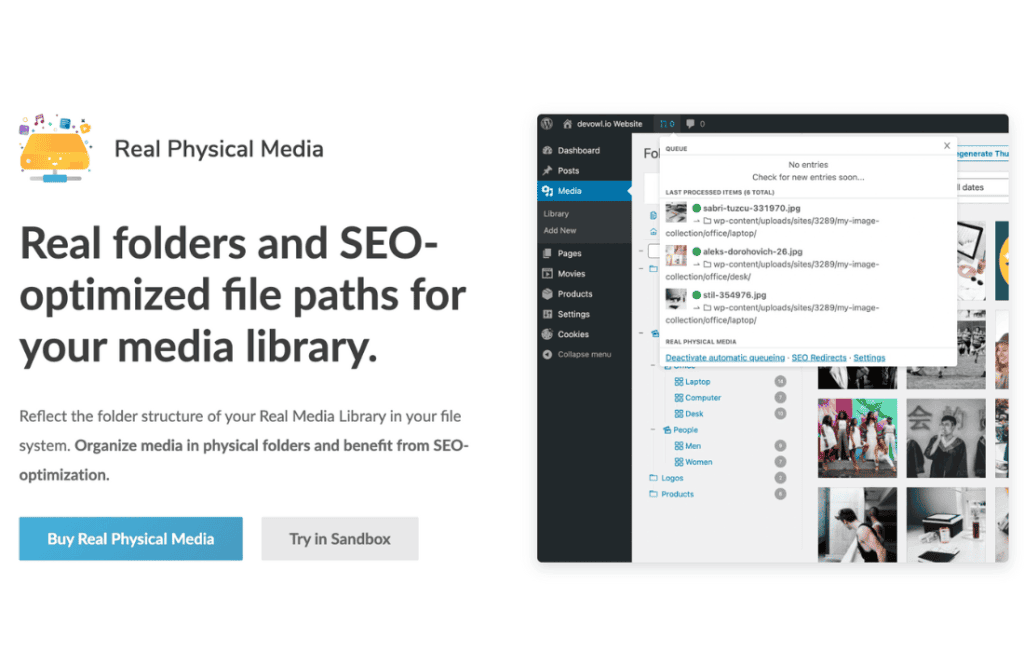
If you have ever felt frustrated by the disorganized mess that WordPress creates in your server’s upload directory, Real Physical Media is the solution you need. By default, WordPress stores all your media files in a flat, date-based folder structure that becomes impossible to navigate via FTP or file managers as your site grows. This plugin transforms your backend file system to mirror the organized folder structure you have created within the WordPress Media Library, ensuring that your physical files are as tidy as your digital ones.
Key Features
- Physical Folder Mirroring: Automatically synchronizes your physical server directory structure with the virtual folders you create using the Real Media Library plugin.
- Improved File Management: Navigate your uploads folder via FTP, SFTP, or your hosting control panel with ease, as files are no longer dumped into generic date-based subdirectories.
- Search Engine Optimization (SEO) Benefits: Create clean, logical file paths that are easier for search engines to crawl and index, potentially improving your media’s visibility.
- Seamless Integration: Works silently in the background, ensuring that every time you move a file into a folder in your WordPress dashboard, the physical file is moved on your server instantly.
- Compatibility: Designed to work harmoniously with major media management plugins, ensuring that your existing workflows remain uninterrupted while gaining better file organization.
- Data Integrity: Ensures that your database and your physical file system remain perfectly in sync, preventing broken image links and missing file errors that often occur when moving files manually.
Use Cases and Who It’s For
Real Physical Media is an essential tool for any WordPress user who values order, efficiency, and professional site maintenance. It is particularly beneficial for high-volume content creators, e-commerce store owners, and agencies managing large media libraries.
If you frequently access your server via FTP to perform backups, troubleshoot issues, or migrate content, you know how daunting it is to search through hundreds of “2026/03” folders to find a single image. This plugin eliminates that headache by organizing files into logical categories like “Products,” “Blog-Images,” or “Client-Assets.” It is the perfect choice for developers who want to provide clients with a clean, professional backend environment and for site owners who want to ensure their media assets are structured logically for long-term scalability.
Setup and How It Works
Getting started with Real Physical Media is straightforward and designed to minimize downtime or configuration stress.
- Install and Activate: Install the plugin via your WordPress dashboard and activate it alongside your existing media management tools.
- Automatic Synchronization: Once active, the plugin begins monitoring your media library. Any folder structure you create within the WordPress interface is automatically replicated in your server’s
/wp-content/uploads/directory. - Background Processing: The plugin handles the heavy lifting in the background. As you move, rename, or organize files within your WordPress Media Library, the plugin updates the corresponding physical file paths on your server without requiring manual intervention.
- Verification: You can verify the organization by accessing your server via your preferred FTP client; you will see your custom folder structure reflected exactly as it appears in your WordPress dashboard.
Similar Plugins
While Real Physical Media is a specialized tool for structural organization, other plugins in the WordPress ecosystem also aim to improve media management. These include Real Media Library (which provides the virtual folder interface that this plugin mirrors), FileBird, and Media Library Folders. While these plugins offer various ways to organize your media, Real Physical Media is unique in its specific focus on ensuring the physical server structure matches the virtual organizational structure.