
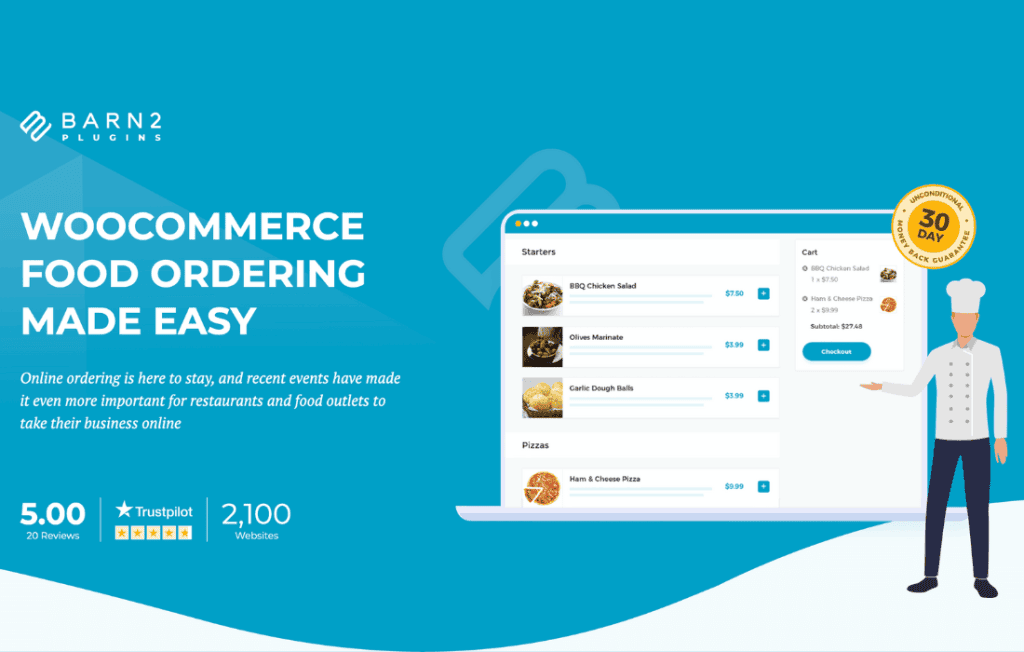
The WooCommerce Restaurant Ordering plugin transforms your standard WooCommerce shop into a high-performance, user-friendly food ordering system designed specifically for the restaurant industry. By streamlining the browsing and selection process, this plugin eliminates the friction that often causes customers to abandon their orders, allowing you to maximize sales and provide a seamless digital dining experience right from your own website.
Key Features
- One-Page Ordering Interface: Replace the traditional, slow multi-page shopping experience with a clean, single-page layout that allows customers to view your entire menu and add items to their cart without ever leaving the page.
- Optimized for Mobile Devices: Ensure your customers can order easily from any smartphone or tablet with a responsive design that prioritizes touch-friendly buttons and clear, readable menu layouts.
- Advanced Search and Filtering: Help hungry customers find exactly what they want quickly using category filters and intuitive search functionality, reducing the time between browsing and checkout.
- Customizable Product Displays: Choose how your menu items appear with options for list or grid views, and decide whether to show product images, descriptions, and prices to best suit your restaurant’s branding.
- Quick Add-to-Cart Functionality: Allow customers to select variations, quantities, and add-ons directly from the main menu view, making the ordering process faster and more efficient.
- Seamless WooCommerce Integration: Built to work perfectly with your existing WooCommerce products, categories, and payment gateways, ensuring you don’t have to rebuild your store from scratch.
- Flexible Layout Settings: Easily toggle elements on or off to create the perfect menu layout that highlights your best-selling dishes and daily specials.
Use Cases / Who It’s For
This plugin is the ideal solution for any food-service business that wants to take control of their online presence and stop relying solely on third-party delivery apps that charge high commissions. It is perfectly suited for local restaurants, cafes, food trucks, and bakeries that want to offer a professional “click-and-collect” or local delivery service.
If you are a restaurant owner who wants to build customer loyalty by owning your own data and avoiding the fees associated with external platforms, this plugin provides the professional infrastructure you need. It is also an excellent choice for catering businesses that need to display a large catalog of items in an organized, easy-to-navigate format for event planners and corporate clients.
Setup / How It Works
- Installation: Upload and activate the plugin within your WordPress dashboard just like any other plugin.
- Configuration: Navigate to the plugin settings page to select which product categories should be displayed in the restaurant ordering layout.
- Layout Customization: Choose your preferred display style, such as grid or list view, and configure options like showing or hiding images and search bars to match your website design.
- Placement: Use the provided shortcode to embed your fully functional, interactive menu on any page or post on your website.
- Launch: Once the shortcode is placed, your menu is live, allowing customers to browse, customize, and order your food immediately.
Similar Plugins
If you are exploring options for your restaurant’s online ordering system, you may also consider other specialized solutions such as WooCommerce Product Table for a more tabular view of your inventory, or dedicated restaurant booking and ordering suites like GloriaFood or OpenTable integrations, depending on whether you require table reservation functionality alongside your food ordering system.