
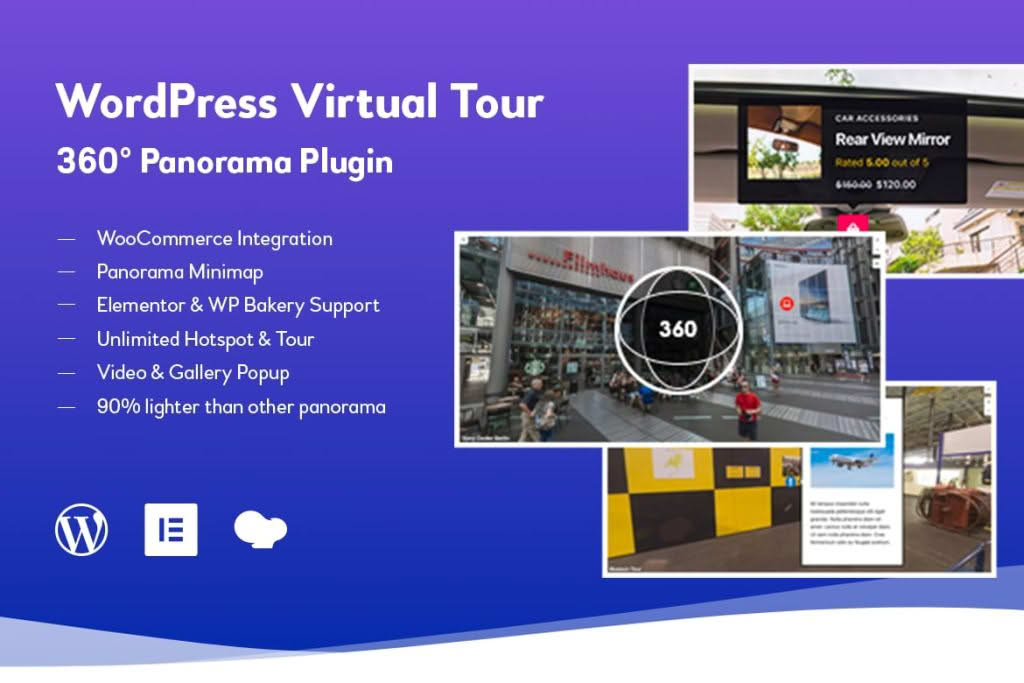
Transform your website into an immersive, interactive experience with the WordPress Virtual Tour 360 Panorama Plugin. Designed for real estate professionals, interior designers, hoteliers, and business owners, this powerful tool allows you to showcase your spaces in stunning, high-definition 360-degree detail. By letting your visitors explore your locations from the comfort of their own devices, you increase engagement, build trust, and provide the transparency that leads to faster conversions and bookings.
Key Features
- Immersive 360-Degree Views: Upload your panoramic images and convert them into fully interactive, navigable virtual tours that work seamlessly on desktops, tablets, and mobile devices.
- Interactive Hotspots: Add clickable markers to your panoramas to provide additional information, display pop-up images, link to other pages, or trigger audio and video content within the tour.
- Custom Navigation Controls: Enhance user experience with intuitive navigation tools, including zoom, auto-rotation, and full-screen modes, ensuring your visitors have full control over their exploration.
- Scene Linking: Connect multiple panoramas together to create a cohesive walkthrough experience, allowing users to move from room to room or area to area effortlessly.
- Responsive Design: Built with mobile-first principles, ensuring your virtual tours look crisp and function perfectly regardless of the device or screen size your audience is using.
- Lightweight and Fast: Optimized for performance to ensure that your high-quality imagery doesn’t compromise your website’s loading speed or SEO rankings.
- Easy Embed via Shortcodes: Simply generate a shortcode for your completed tour and paste it into any post, page, or widget area on your WordPress site.
Use Cases and Who It’s For
The WordPress Virtual Tour 360 Panorama Plugin is a versatile solution for any industry that relies on visual storytelling to sell or showcase a physical space.
Real Estate Agents and Property Managers: Provide prospective buyers or renters with a 24/7 open house. By offering a comprehensive view of every corner of a property, you filter out unqualified leads and attract serious buyers who have already “walked through” the home.
Hotels, Resorts, and Venues: Showcase the luxury of your rooms, the ambiance of your lobby, or the scale of your event spaces. Virtual tours help guests visualize their stay or event, significantly increasing booking confidence.
Interior Designers and Architects: Present your completed projects in a way that static photos simply cannot match. Allow clients to experience the flow, scale, and design details of your work, positioning yourself as a premium service provider.
Retailers and Showrooms: Bring your physical store online. Whether you are a boutique, a car dealership, or a furniture showroom, a virtual tour allows customers to browse your inventory in a natural, immersive environment.
Setup and How It Works
Getting your virtual tour live is a straightforward process designed to be accessible even if you have limited technical experience:
- Upload Your Panoramas: Start by uploading your high-resolution 360-degree panoramic images directly to your WordPress media library.
- Configure the Tour: Use the plugin’s intuitive dashboard to create a new tour, select your images, and arrange the order of the scenes.
- Add Hotspots: Place interactive markers on specific areas of your images. Configure these hotspots to display text, images, or links to provide context to your viewers.
- Customize Settings: Adjust the default zoom levels, enable or disable auto-rotation, and set the initial view angle to ensure your tour starts exactly how you want it.
- Publish: Once satisfied, the plugin generates a unique shortcode. Copy and paste this shortcode into any WordPress editor to display your virtual tour anywhere on your site.
Similar Plugins
If you are exploring your options for 360-degree content, you may also encounter other solutions in the WordPress ecosystem, such as WP VR, iPanorama 360, and 360° Photo Viewer. Each of these plugins offers varying levels of interactivity, scene-linking capabilities, and customization options. We recommend evaluating your specific needs—such as the number of scenes required and the level of hotspot complexity—to ensure you choose the tool that best aligns with your project goals.