
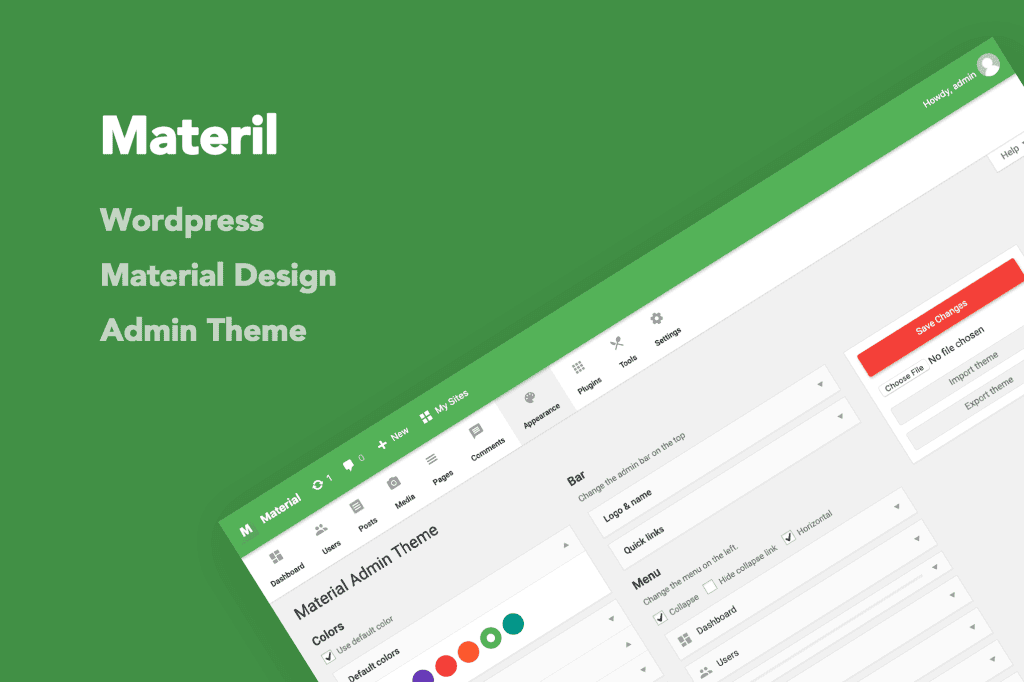
Transform your WordPress dashboard into a sleek, modern, and highly intuitive workspace with Materil. Designed to bring the aesthetic principles of Google’s Material Design to the backend of your site, this plugin replaces the default, often cluttered WordPress admin interface with a clean, professional, and visually engaging environment. Whether you are managing a single blog or overseeing a complex multisite network, Materil enhances your daily workflow by providing a refined user experience that reduces visual fatigue and helps you focus on what truly matters: your content and site management.
Key Features
- Material Design Aesthetic: Experience a complete visual overhaul that utilizes the clean lines, subtle shadows, and vibrant color palettes characteristic of Google’s Material Design language.
- Fully Responsive Layout: Manage your website on the go with a dashboard that adapts perfectly to desktops, tablets, and smartphones, ensuring a consistent experience across all devices.
- Customizable Color Schemes: Tailor the look of your admin area to match your brand identity or personal preference with a variety of pre-built color presets and customization options.
- Improved Navigation: Enjoy a streamlined navigation structure that makes finding settings, plugins, and content management tools faster and more logical than the standard WordPress menu.
- Enhanced Typography: Benefit from improved font readability and spacing, designed to make reading long lists, settings, and documentation within the dashboard much easier on the eyes.
- Lightweight and Fast: Built with performance in mind, the plugin ensures that your dashboard remains snappy and responsive, without adding unnecessary bloat or slowing down your administrative tasks.
- Compatibility: Designed to work seamlessly with popular plugins and themes, ensuring that your custom post types, metaboxes, and third-party tools maintain their functionality within the new design.
Use Cases / Who It’s For
Materil is the perfect solution for anyone who spends a significant amount of time inside the WordPress dashboard. If you are a web developer or agency owner, providing a polished, branded, and modern backend for your clients can significantly enhance the perceived value of your services. A professional-looking dashboard instills confidence and makes the transition to managing their own content much less intimidating for non-technical users.
For bloggers, content creators, and site administrators, the plugin offers a refreshing break from the default WordPress interface. By reducing visual clutter and organizing tools more effectively, Materil helps you maintain focus during long content creation sessions. It is particularly beneficial for those who manage multiple sites and want a consistent, high-quality environment across all their projects, making the administrative side of site management feel like a modern application rather than a dated web form.
Setup / How It Works
Getting started with Materil is designed to be a straightforward process that requires no coding knowledge:
- Installation: Upload the plugin zip file to your WordPress site via the Plugins menu or your FTP client, and activate it as you would any other plugin.
- Activation: Once activated, the plugin will automatically apply the Material Design theme to your WordPress admin area.
- Configuration: Navigate to the dedicated settings page, usually located under the main settings menu or a specific Materil tab, to select your preferred color scheme and adjust any available display options.
- Enjoy: Your dashboard is now updated. You can immediately begin using the new interface, with all your existing content and settings preserved exactly as they were.
Similar Plugins
If you are exploring options for customizing your WordPress admin interface, you may also want to consider other popular solutions such as White Label CMS, which focuses on branding and simplifying the dashboard for clients, or Admin Menu Editor, which provides granular control over the organization of your sidebar navigation. Additionally, plugins like Slate Admin Theme offer alternative aesthetic styles for those looking for a different visual approach to the standard WordPress backend.