
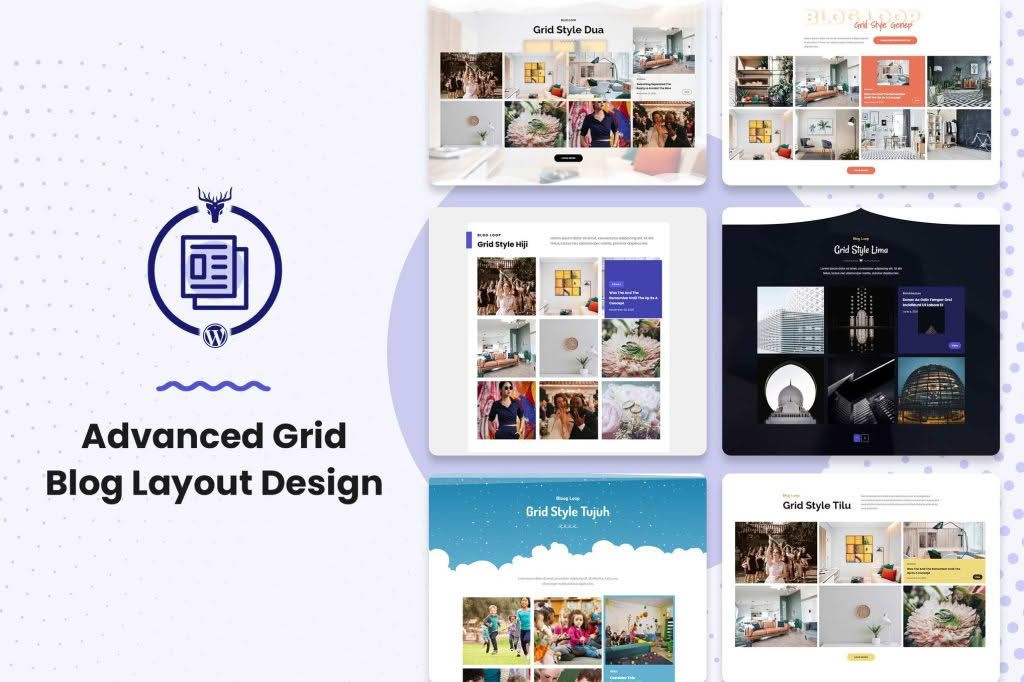
Transform your standard WordPress blog into a visually stunning, professional-grade portfolio or magazine-style site with the Grid Blog Layout WordPress Plugin. If you are struggling with a cluttered, outdated list-style blog feed, this plugin provides the perfect solution to enhance user engagement and keep visitors on your site longer. By organizing your content into clean, responsive, and highly customizable grid layouts, you can showcase your articles, photography, or news updates in a format that encourages exploration and elevates your brand’s aesthetic without requiring a single line of custom code.
Key Features
- Responsive Grid Design: Your content will automatically adapt to any screen size, ensuring that your blog looks perfect on desktops, tablets, and smartphones.
- Multiple Layout Variations: Choose from various grid styles, including masonry, classic grid, or list-grid hybrids, to find the perfect look for your specific content type.
- Customizable Post Elements: Easily toggle specific post metadata on or off, such as author names, publication dates, categories, comment counts, and excerpt lengths, to achieve a minimalist or information-rich look.
- Built-in Pagination and Load More: Improve site performance and user experience with flexible navigation options, including standard pagination, “Load More” buttons, or infinite scrolling.
- Advanced Image Handling: Control image aspect ratios, set custom thumbnail sizes, and enable hover effects to create a polished, interactive browsing experience.
- Developer-Friendly Customization: While designed for ease of use, the plugin remains flexible for advanced users who wish to apply custom CSS to further refine the grid appearance.
- Seamless Theme Integration: Built to work harmoniously with most modern, well-coded WordPress themes, ensuring that your new grid layout integrates naturally with your existing site design.
Use Cases / Who It’s For
The Grid Blog Layout WordPress Plugin is an essential tool for any content creator, business owner, or organization that prioritizes visual storytelling. If you run a travel blog, photography portfolio, or news portal, a grid layout allows you to present multiple stories simultaneously, helping readers discover content they might have otherwise missed in a traditional linear feed.
Small business owners and e-commerce store managers can also benefit by using the plugin to create a more engaging “Latest News” or “Company Updates” section, which adds personality and authority to their brand. For digital agencies and freelancers, it provides a simple way to display case studies or project highlights that demand a high-quality, professional presentation. Whether you are a hobbyist blogger looking to modernize your site or a professional managing a high-traffic publication, this plugin offers the versatility needed to organize your content effectively.
Setup / How It Works
Getting your new grid layout up and running is designed to be a straightforward process that respects your time and technical comfort level.
- Install and Activate: Upload the plugin zip file through your WordPress dashboard, activate it, and navigate to the plugin settings page.
- Select Your Layout: Choose your preferred grid style from the provided templates. You can preview how these changes will affect your blog feed instantly.
- Configure Display Options: Use the intuitive settings panel to select which post elements (like categories or excerpts) should appear in your grid. You can also adjust the number of columns and the spacing between posts.
- Save and Publish: Once you are satisfied with your configuration, save your settings. The plugin will automatically override your theme‚Äôs default blog archive layout, instantly updating your site’s appearance without affecting your existing content.
Similar Plugins
If you are exploring your options, there are other tools available in the WordPress ecosystem that offer similar grid-building functionality. Plugins such as Post Grid, Content Views, and Essential Addons for Elementor provide alternative ways to display post loops in grid formats. While these tools share the goal of improving content display, the Grid Blog Layout WordPress Plugin is specifically optimized for those who want a dedicated, lightweight solution that focuses on transforming the primary blog archive page with minimal configuration.