
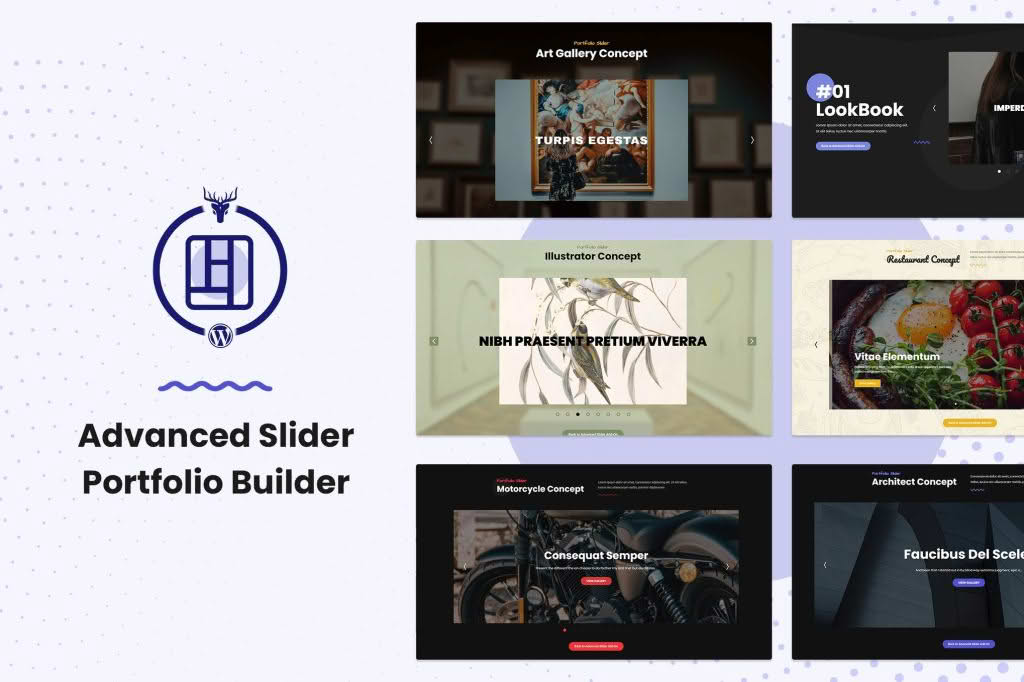
The Advanced Slider Portfolio Builder is a comprehensive solution designed to help photographers, designers, agencies, and creative professionals showcase their work with stunning, high-performance sliders. By combining intuitive drag-and-drop functionality with advanced customization options, this plugin allows you to transform static image galleries into engaging, interactive visual experiences that captivate visitors and elevate your brand’s professional presentation.
Key Features
- Responsive Design: Ensures your portfolio looks flawless and functions perfectly on all devices, from desktop monitors to mobile phones, automatically adjusting layouts for optimal viewing.
- Drag-and-Drop Builder: Create complex, multi-layered sliders without writing a single line of code, allowing you to focus on your creative vision rather than technical hurdles.
- Customizable Animations: Choose from a wide library of transition effects, including fades, slides, zooms, and custom entrance animations to add movement and personality to your work.
- Dynamic Content Integration: Seamlessly pull images and data from your existing WordPress posts, custom post types, or WooCommerce products to keep your portfolios updated automatically.
- Advanced Layer Control: Add text, buttons, icons, and shapes over your images with precise control over positioning, transparency, and timing to create rich, informative slides.
- Performance Optimized: Built with clean, lightweight code and lazy-loading capabilities to ensure your sliders load quickly, keeping your site fast and SEO-friendly.
- Touch-Swipe Support: Enhances the user experience on tablets and smartphones by allowing visitors to navigate through your portfolio with natural touch gestures.
Use Cases and Who It’s For
This plugin is engineered for anyone who needs to present visual content in a professional, high-impact format. If you are a freelance photographer, the Advanced Slider Portfolio Builder allows you to create immersive full-screen galleries that highlight the detail and quality of your photography. For design agencies, it provides the perfect platform to display case studies, featuring project descriptions and call-to-action buttons directly within the slider to drive client conversions.
Small business owners and e-commerce store owners can also leverage this tool to highlight featured products, seasonal collections, or promotional banners on their homepage. Because the plugin is highly flexible, it serves both those who want a quick, “set-it-and-forget-it” gallery and power users who demand pixel-perfect control over every element of their site’s visual presentation.
Setup and How It Works
- Installation: Upload and activate the plugin through your WordPress dashboard, just as you would with any standard plugin.
- Create Your Slider: Navigate to the plugin dashboard to start a new project. Use the intuitive interface to select your layout template or start from a blank canvas.
- Add Media: Upload your images or select existing media from your WordPress library. You can arrange them using the drag-and-drop editor to define the order of your slides.
- Customize Layers: Use the layer editor to add titles, descriptions, or buttons to your slides. Adjust fonts, colors, and animation timings to match your brand identity.
- Configure Settings: Tweak global settings such as autoplay speeds, navigation arrow styles, and responsiveness breakpoints to ensure the slider behaves exactly how you want.
- Publish: Once your slider is ready, the plugin generates a unique shortcode. Simply copy and paste this shortcode into any page, post, or widget area where you want your portfolio to appear.
Similar Plugins
While the Advanced Slider Portfolio Builder offers a unique balance of ease and power, users often explore alternatives such as Slider Revolution, MetaSlider, and Soliloquy. Each of these plugins offers different approaches to slider creation, ranging from highly complex animation engines to lightweight, image-focused gallery solutions, allowing you to choose the tool that best aligns with your specific technical requirements and design workflow.