
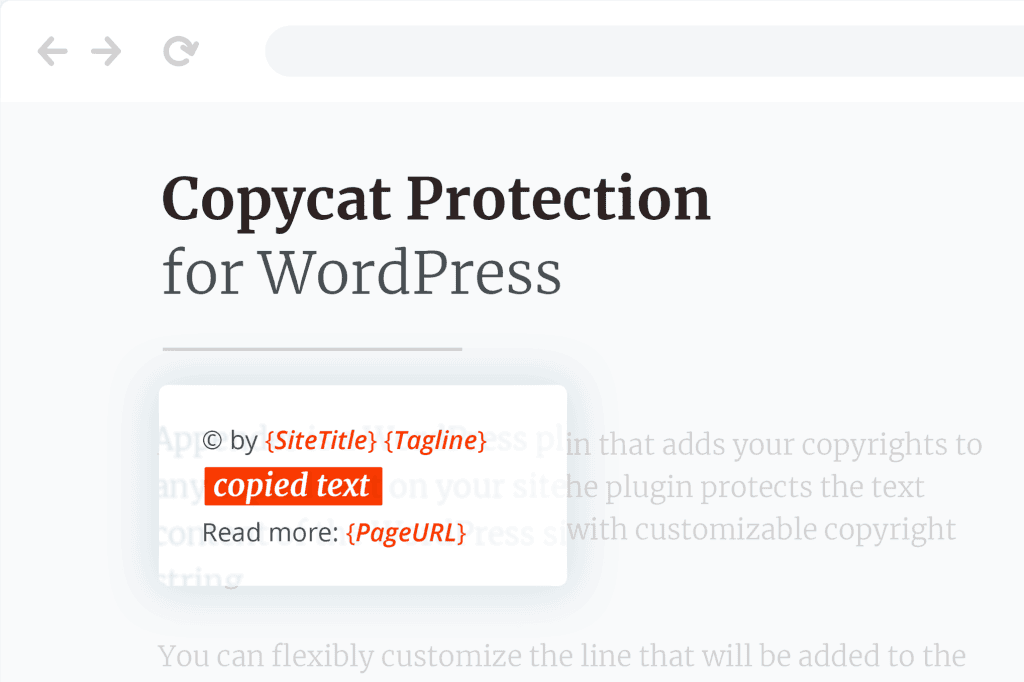
In an era where content is the backbone of your digital presence, protecting your hard work from unauthorized scraping, duplication, and intellectual property theft is more critical than ever. Copycat Protector for WordPress is a specialized security tool designed to act as a digital deterrent, making it significantly harder for automated bots and casual content thieves to lift your text, images, and layout. By implementing multi-layered defensive measures, this plugin helps you maintain the exclusivity of your content, protect your SEO rankings from duplicate content penalties, and ensure that your creative efforts remain yours alone.
Key Features
- Advanced Content Obfuscation: Employs sophisticated techniques to make your content difficult for simple scrapers and automated bots to parse, while ensuring it remains perfectly readable and accessible to your human visitors and legitimate search engine crawlers.
- Right-Click and Context Menu Disabling: Prevents casual users from easily right-clicking to “Save Image As” or “Copy” text, adding a layer of friction that discourages the majority of casual content theft.
- Selection Restriction: Limits the ability for users to highlight and copy your text, protecting your written articles, product descriptions, and unique blog content from being instantly copied and pasted elsewhere.
- Keyboard Shortcut Blocking: Automatically detects and disables common keyboard shortcuts used for copying, such as Ctrl+C, Ctrl+A, and Ctrl+V, ensuring that even tech-savvy users face obstacles when attempting to duplicate your work.
- Image Protection: Implements measures to prevent direct image dragging and dropping, safeguarding your unique photography, graphics, and custom illustrations from being easily stolen.
- Lightweight Performance: Built with clean code to ensure that your site speed remains fast and your user experience is not compromised, keeping your SEO performance high while your content remains secure.
- Easy Configuration: Provides a user-friendly dashboard where you can toggle specific protection features on or off, allowing you to customize the level of security based on your specific site needs without requiring any coding knowledge.
Use Cases and Who It’s For
Copycat Protector for WordPress is an essential asset for any website owner who relies on original content to drive traffic, sales, and authority. If you spend hours crafting high-quality blog posts, conducting original research, or designing unique product imagery, you are a prime target for content scrapers who aim to profit from your efforts.
This plugin is ideal for:
- E-commerce Store Owners: Protect your unique product descriptions and high-quality product photography from competitors who might try to copy your catalog to build their own stores.
- Bloggers and Content Creators: Safeguard your hard-earned traffic and SEO rankings by preventing bots from scraping your articles and republishing them on low-quality sites, which could lead to duplicate content issues.
- Educational and Membership Sites: Ensure that your proprietary course materials, tutorials, and exclusive member-only content remain behind your paywall or login, rather than being easily copied and distributed elsewhere.
- Photography and Portfolio Sites: Keep your artistic work protected from those who would otherwise download and use your images without permission or attribution.
Setup and How It Works
Getting started with Copycat Protector for WordPress is designed to be a seamless experience, requiring no technical expertise. Once installed, the plugin operates silently in the background, applying your chosen security settings to your site’s front end.
- Installation: Upload and activate the plugin through your WordPress dashboard as you would with any standard plugin.
- Configuration: Navigate to the plugin settings page. Here, you will find a clear, intuitive interface featuring toggle switches for each protection layer.
- Customization: Select the specific features you wish to enable, such as disabling right-clicks, blocking text selection, or restricting keyboard shortcuts. You can test these settings immediately on your live site.
- Monitoring: Once configured, the plugin continuously monitors your pages. When a user or bot attempts to perform a restricted action, the plugin intervenes to block the request, effectively deterring the unauthorized duplication of your content.
Similar Plugins
If you are exploring your options for site security and content protection, you may also encounter other solutions in the WordPress ecosystem. Plugins such as WP Content Copy Protection & No Right Click and Secure Copy Content Protection and Content Locking offer similar functionality focused on disabling right-click actions and protecting text and images from being copied by casual visitors.