
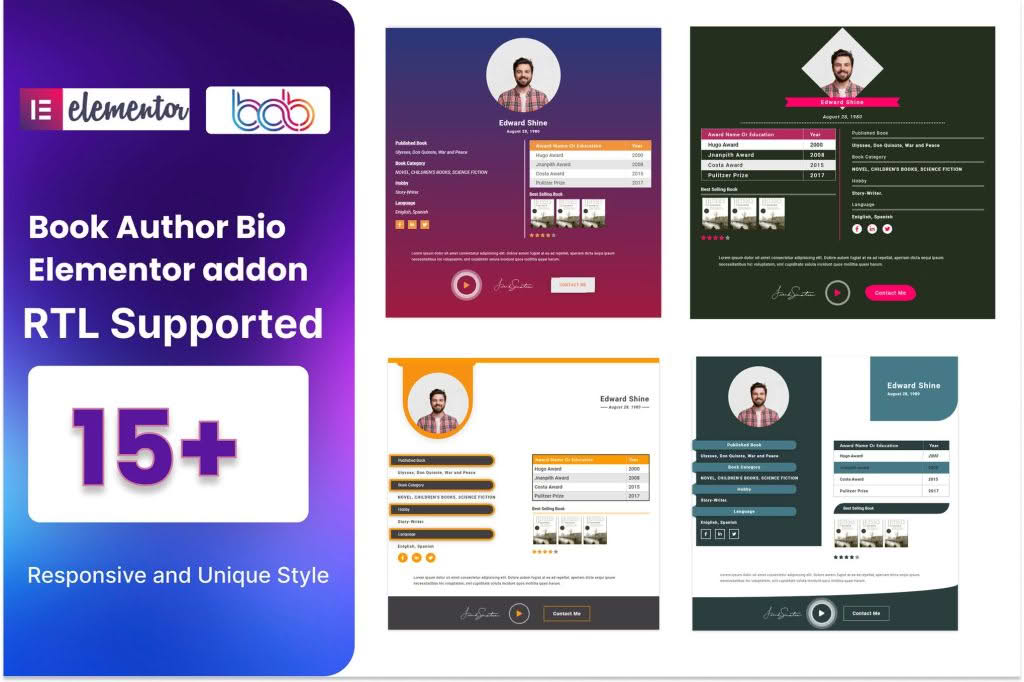
The Book Author Bio addon for Elementor is the essential bridge between your written content and your personal brand. If you are an author, blogger, or publisher using WordPress, this plugin allows you to showcase author profiles with professional, eye-catching layouts directly within your Elementor-built pages. Instead of relying on generic, unstyled theme widgets, you can now design beautiful, responsive author boxes that build trust with your readers and encourage them to explore more of your work.
Key Features
- Seamless Elementor Integration: Drag and drop your author bio anywhere on your site using the familiar Elementor interface. No coding knowledge is required to achieve a professional look.
- Customizable Layouts: Choose from various pre-designed templates or customize every element, including typography, spacing, colors, and border styles, to perfectly match your website’s branding.
- Dynamic Content Support: Automatically pull author data, including name, bio, avatar, and social media links, directly from the WordPress user profile. This ensures your site stays updated without manual editing.
- Social Media Connectivity: Easily display links to your social profiles, such as Twitter, Facebook, LinkedIn, or Instagram, helping you grow your audience and keep readers connected.
- Responsive Design: Your author bio will look perfect on any device, from desktop monitors to mobile phones, ensuring a consistent experience for all your visitors.
- Flexible Placement: Whether you want the bio at the end of every blog post, on a dedicated “About the Author” page, or in the sidebar, this addon gives you the flexibility to place it exactly where it performs best.
Use Cases / Who It’s For
This plugin is designed for anyone who wants to elevate their author presence online. If you are a solo author, this tool helps you establish authority and build a personal connection with your readers. By showcasing your professional background and personality in a visually appealing box at the end of your articles, you increase the likelihood of readers following your work or purchasing your books.
For multi-author websites, such as literary magazines, niche news sites, or collaborative blogs, this addon is a game-changer. It allows editors to highlight different contributors consistently, giving each writer the recognition they deserve while maintaining a cohesive aesthetic across the entire publication. It is an ideal solution for publishers who want to provide a premium reading experience that highlights the human element behind the content.
Setup / How It Works
- Install and Activate: Upload the plugin zip file to your WordPress dashboard, install it, and activate it just like any other plugin.
- Open Elementor: Navigate to the page or template where you want to display the author bio and open it with the Elementor editor.
- Drag the Widget: Locate the “Book Author Bio” widget in the Elementor sidebar and drag it into your desired section.
- Configure Settings: Use the Content tab to select which author‚Äôs data to display and the Style tab to adjust fonts, colors, and image dimensions to fit your site’s design.
- Publish: Save your changes to instantly display the professional author bio to your readers.
Similar Plugins
While the Book Author Bio addon for Elementor offers a specialized approach for Elementor users, there are other ways to manage author profiles in WordPress. Options like Simple Author Box or Starbox provide alternative methods for displaying author information, though these often rely on standard WordPress hooks rather than the deep, drag-and-drop integration with the Elementor page builder that this specific addon provides.