
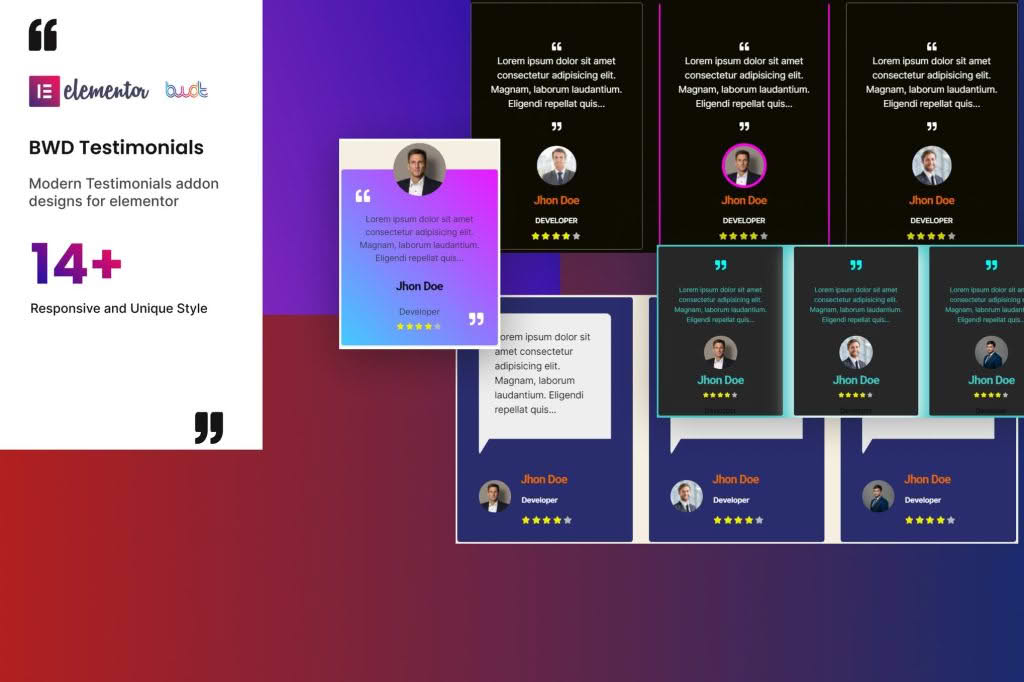
Building trust with your website visitors is essential for converting leads into loyal customers. The Testimonials Addon for Elementor empowers you to showcase social proof directly within your Elementor-built pages without needing complex coding or external platforms. Designed for business owners, marketers, and web designers, this plugin seamlessly integrates into the Elementor editor, allowing you to create stunning, high-converting testimonial sections that highlight your brand’s credibility and customer satisfaction.
Key Features
- Native Elementor Integration: Drag and drop testimonial widgets directly onto your pages using the familiar Elementor interface.
- Customizable Layouts: Choose from various pre-designed layouts, including grids, carousels, and sliders, to perfectly match your website’s aesthetic.
- Style and Design Control: Fully customize typography, colors, spacing, borders, and shadows to ensure your testimonials align with your brand identity.
- Dynamic Content Support: Easily display client names, job titles, company logos, and star ratings to provide comprehensive context for every review.
- Responsive Design: Ensure your testimonials look perfect on all devices, from desktops to tablets and mobile phones, with built-in responsive settings.
- Performance Optimized: Built with clean, lightweight code to ensure your website remains fast and responsive while displaying your social proof.
- Media Integration: Add client photos or avatars to humanize your testimonials and increase authenticity.
Use Cases / Who It’s For
This plugin is an ideal solution for anyone looking to leverage the power of social proof to grow their business. If you run an e-commerce store, displaying customer reviews on product pages can significantly boost conversion rates by reassuring potential buyers of product quality. Service-based businesses, such as agencies, consultants, or freelancers, can use the addon to showcase case studies and client success stories, establishing authority and building immediate rapport with prospective clients.
Web designers and agencies will find this tool invaluable for streamlining their workflow. Instead of building custom testimonial sections from scratch for every client project, you can use this addon to quickly deploy professional-grade, editable testimonial blocks, saving time while delivering a high-quality end product. Whether you are a small business owner aiming to build credibility or a professional developer looking for efficiency, this plugin provides the flexibility and ease of use required to showcase your best feedback effectively.
Setup / How It Works
- Install and Activate: Upload the plugin zip file to your WordPress dashboard via the Plugins menu and activate it.
- Open Elementor: Navigate to the page or post where you want to add testimonials and open it with the Elementor editor.
- Locate the Widget: Search for the Testimonials widget in the Elementor sidebar panel.
- Drag and Drop: Drag the widget onto your desired section on the page.
- Configure Content: Use the Content tab in the widget settings to add your testimonials, client images, names, and ratings.
- Customize Style: Switch to the Style tab to adjust fonts, colors, background styles, and alignment to match your site’s design.
- Publish: Once satisfied with the look and feel, update or publish your page to display your testimonials to the world.
Similar Plugins
If you are exploring options for managing social proof in WordPress, there are several other notable solutions available. Plugins such as Strong Testimonials, WP Testimonials with Rotator Widget, and various dedicated Elementor addons from developers like Essential Addons for Elementor or Premium Addons also offer robust features for creating and displaying testimonials. Each of these tools provides unique design variations and functional capabilities, allowing you to choose the solution that best fits your specific design requirements and workflow preferences.