
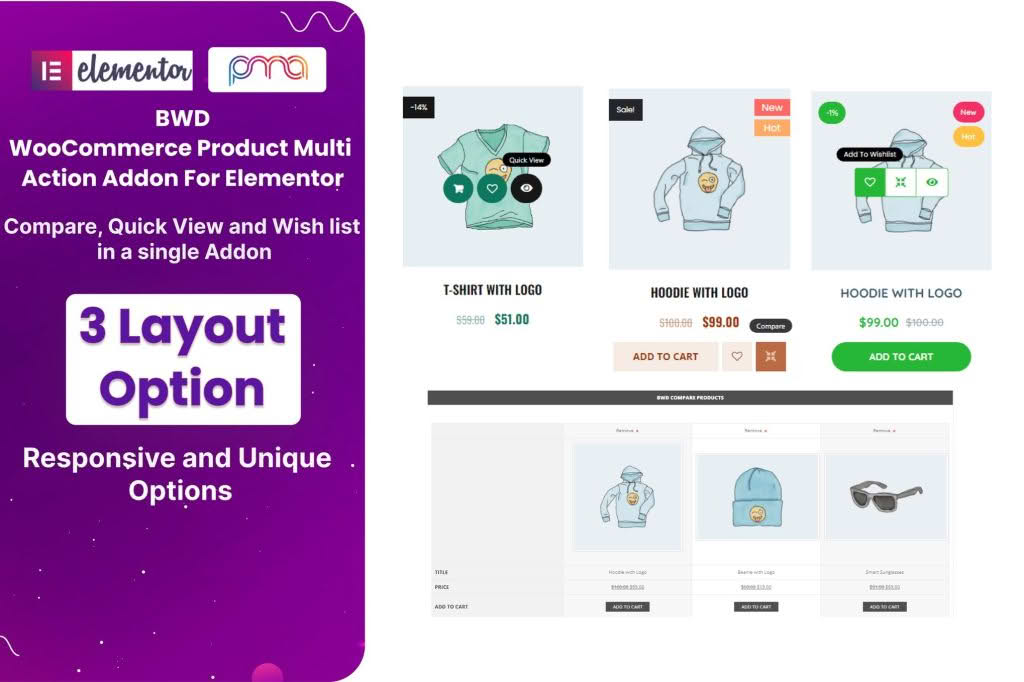
The BWD WooCommerce Product Multi Action Addon is a powerful tool designed to enhance the user experience of your online store by providing flexible, interactive ways for customers to engage with your products. By adding dynamic action buttons and functional triggers directly to your WooCommerce product pages, this plugin helps you reduce friction in the purchasing process, highlight key product information, and ultimately drive more conversions. Whether you want to streamline the shopping experience or provide more context to potential buyers, this addon gives you the control to customize how customers interact with your catalog.
Key Features
- Versatile Action Buttons: Easily add multiple custom action buttons to your product pages, allowing customers to perform specific tasks with a single click.
- Customizable Design: Tailor the appearance of your action buttons to match your store’s branding, including control over colors, icons, and button layouts.
- Interactive Triggers: Implement various triggers that can open modals, redirect users, or perform specific WooCommerce actions, creating a more dynamic browsing experience.
- Responsive Layouts: Ensure your product actions look great on all devices, from desktop computers to mobile phones, providing a seamless experience for every shopper.
- User-Friendly Interface: Manage your product actions directly from the WordPress dashboard with an intuitive settings panel that requires no coding knowledge to operate.
- Lightweight Performance: Built with performance in mind, this addon ensures that your product pages remain fast and responsive, preventing any impact on your store’s loading speed.
- Extensive Compatibility: Designed to work smoothly with standard WooCommerce setups and most popular WordPress themes, ensuring a hassle-free integration process.
Use Cases / Who It’s For
This plugin is ideal for WooCommerce store owners who want to move beyond the standard “Add to Cart” button and create a more sophisticated shopping journey. If you run a fashion boutique, an electronics store, or a digital products marketplace, you can use these multi-action features to guide your customers more effectively.
For example, you can use the plugin to add a “Size Guide” button that opens in a modal, a “Request a Quote” link for wholesale inquiries, or a “Compare” button to help customers make informed decisions. It is perfect for store owners who want to minimize page reloads and keep users engaged on the product page for longer. By providing immediate access to essential information or auxiliary actions, you reduce the likelihood of customers leaving your site to find answers elsewhere.
Setup / How It Works
- Install and Activate: Upload the plugin zip file to your WordPress site via the Plugins menu and activate it.
- Configure Settings: Navigate to the BWD WooCommerce Product Multi Action settings page in your dashboard to define your global preferences.
- Create Actions: Use the plugin interface to create your desired action buttons, selecting the icon, button text, and the specific behavior (e.g., link to URL, open modal, or trigger a custom function).
- Assign to Products: Apply these actions to your individual products or set them to appear globally across your entire store catalog.
- Preview and Publish: Visit your product pages to see the new action buttons in place and ensure they function exactly as intended for your customers.
Similar Plugins
If you are exploring options for enhancing WooCommerce product interactions, you may also consider plugins such as “WooCommerce Custom Product Tabs,” “YITH WooCommerce Quick View,” or “WooCommerce Product Add-Ons.” These plugins offer various ways to extend product page functionality, though they may focus on different aspects of the user experience compared to the BWD WooCommerce Product Multi Action Addon.