
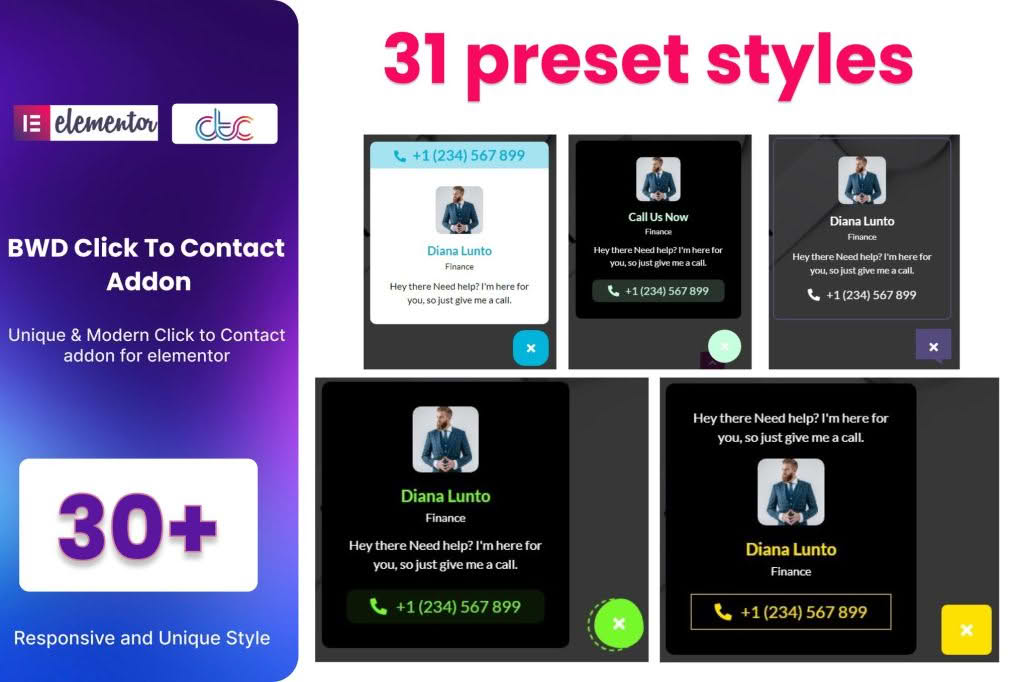
In today’s fast-paced digital landscape, your website visitors expect instant communication. If they have to hunt for your contact details, you risk losing them to a competitor. The Click To Contact Addon for Elementor bridges that gap by providing a seamless, highly visible, and user-friendly way for your customers to reach out to you directly from their mobile devices or desktops. By integrating essential communication channels directly into your Elementor-built pages, you reduce friction, increase engagement, and ultimately drive more conversions.
Key Features
- Multi-Channel Support: Connect with your audience through their preferred platforms, including WhatsApp, Phone, SMS, Skype, Telegram, Viber, and Email, all from a single, intuitive interface.
- Elementor Native Integration: Designed specifically for Elementor, this addon functions as a native widget. Simply drag and drop it into your page, section, or column, and configure it using the familiar Elementor settings panel.
- Highly Customizable Design: Match your brand identity perfectly. Control colors, icon sizes, spacing, and hover effects to ensure the contact buttons look like a natural part of your website design.
- Responsive Visibility Control: Decide exactly where and when your contact buttons appear. You can set specific buttons to show only on mobile devices, tablets, or desktops, ensuring a clean user experience across all screen sizes.
- Floating Button Functionality: Keep your contact options accessible at all times with floating button support. This ensures that even as a user scrolls through long-form content, your call-to-action remains just a tap away.
- Animation Effects: Grab attention without being intrusive. Apply subtle entrance animations to your contact icons to encourage clicks and improve conversion rates.
- Lightweight Performance: Built with clean, optimized code to ensure that your website remains fast and responsive, avoiding the performance bloat often associated with heavy plugins.
Use Cases / Who It’s For
The Click To Contact Addon is an essential tool for any business owner, freelancer, or agency utilizing Elementor to build their online presence. It is particularly effective for service-based businesses where a quick question can lead to a booked appointment or a closed sale.
If you run a local business like a restaurant, salon, or repair shop, this plugin allows customers to call you or message you on WhatsApp with a single tap, significantly increasing the likelihood of a booking. For e-commerce store owners, providing an easy way to ask pre-purchase questions via live chat or messaging apps can drastically reduce cart abandonment. Agencies and developers will also find this tool invaluable for their client projects, as it provides a professional, branded, and easy-to-configure solution for adding contact functionality without needing to write custom code or rely on third-party scripts that may conflict with the site’s theme.
Setup / How It Works
Getting started with the Click To Contact Addon is designed to be as straightforward as possible, allowing you to go live in minutes.
- Install and Activate: Once you have installed the plugin, ensure that Elementor is active on your site.
- Locate the Widget: Open any page or template in the Elementor editor. In the widget panel on the left, search for the ‘Click To Contact’ widget.
- Drag and Drop: Drag the widget into the desired location on your page.
- Configure Channels: In the content tab, select the communication channels you wish to offer. Enter your respective phone numbers, email addresses, or usernames for each platform.
- Style Your Widget: Use the Style tab to adjust the appearance. Here, you can set the icon colors, background shapes, padding, and hover behaviors to align with your website’s color palette.
- Set Display Rules: Use the Advanced tab to define which devices should display the contact buttons, ensuring a tailored experience for your mobile and desktop users.
Similar Plugins
If you are exploring options for adding contact functionality to your Elementor site, you may also encounter alternatives such as Join.chat, Chaty, and various “Floating Chat” or “Click to Chat” plugins available in the WordPress repository. While these plugins offer similar core functionality, the Click To Contact Addon for Elementor is specifically optimized for deep integration with the Elementor page builder workflow, offering a cohesive experience for users who prefer to manage their site elements entirely within the Elementor interface.