
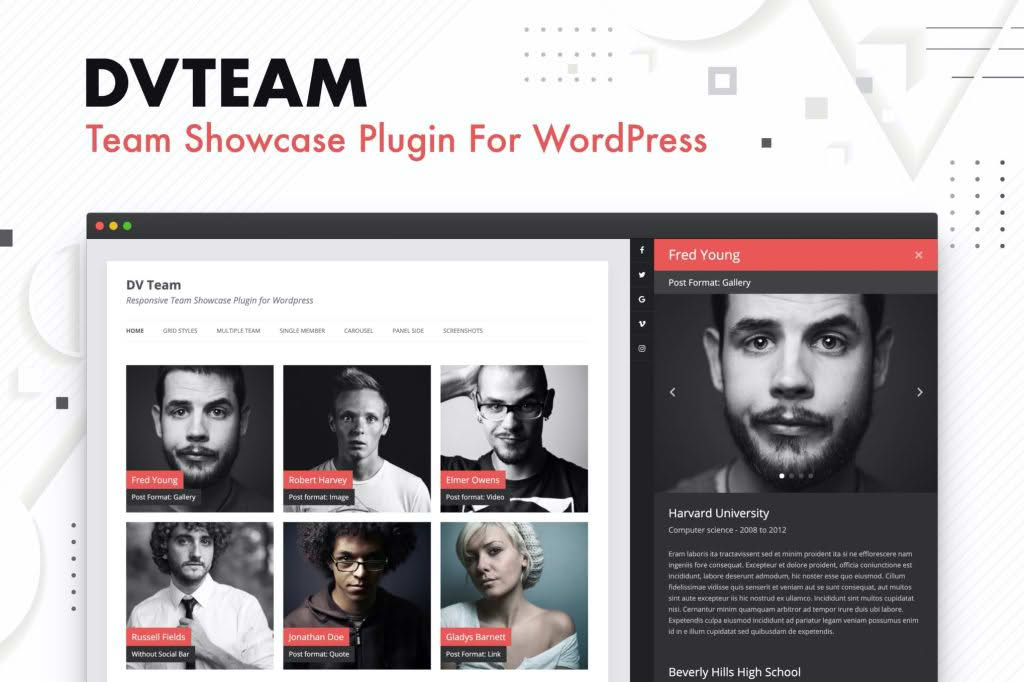
Showcasing your team is one of the most effective ways to build trust with potential clients and humanize your brand. The DV Team – Team Showcase Plugin for WordPress provides a professional, intuitive, and highly customizable solution for displaying your staff, partners, or board members. Whether you are a small business, a creative agency, or a large organization, this plugin helps you turn your “About Us” page into a compelling visual experience that highlights the expertise and personality behind your work.
Key Features
- Multiple Layout Options: Choose from a variety of pre-designed layouts, including grid, list, and carousel views, to ensure your team members look great on any device.
- Fully Responsive Design: Your team showcase will automatically adapt to mobile, tablet, and desktop screens, ensuring a seamless user experience for all your visitors.
- Customizable Member Profiles: Easily add names, job titles, professional bios, social media links, and contact information for each team member.
- Drag-and-Drop Ordering: Effortlessly rearrange the order of your team members to highlight key leadership or specific departments without needing complex settings.
- Social Media Integration: Connect your team members directly to their professional profiles on LinkedIn, Twitter, Facebook, and other platforms to encourage networking.
- Shortcode Support: Display your team showcase anywhere on your website—including posts, pages, or sidebar widgets—using simple, easy-to-implement shortcodes.
- Style Customization: Adjust colors, fonts, and spacing to perfectly match your website’s existing branding and design aesthetic.
- Category Filtering: Organize large teams by departments, locations, or roles, allowing visitors to filter and find the specific experts they need.
Use Cases / Who It’s For
This plugin is designed for anyone who needs to present a professional face to the world. If you are a web designer or developer, DV Team is an essential tool to include in your client projects, allowing you to provide them with a user-friendly interface to manage their staff pages without touching a single line of code. For small business owners, it serves as a powerful marketing tool; by highlighting the faces behind the company, you create a sense of transparency and reliability that can significantly increase conversion rates.
Creative agencies use this plugin to showcase their diverse talent pool, while educational institutions and non-profit organizations utilize it to introduce faculty, board members, or volunteers. Regardless of your industry, if your business relies on personal relationships and expertise, this plugin provides the structure necessary to showcase that value effectively.
Setup / How It Works
Getting started with DV Team is designed to be straightforward, allowing you to have your team page live in minutes:
- Installation: Upload the plugin file to your WordPress dashboard via the Plugins menu and activate it.
- Add Team Members: Navigate to the new Team section in your WordPress sidebar. Click to add a new member, upload their photo, and fill in their professional details.
- Configure Layout: Use the settings panel to choose your preferred layout style, such as a grid or a dynamic carousel, and customize the colors to align with your brand.
- Display on Your Site: Once your members are added, copy the generated shortcode provided by the plugin. Paste this shortcode onto any page or post where you want the showcase to appear.
- Review and Update: Preview your page to ensure the layout looks perfect. You can return to the dashboard at any time to add new members, edit existing profiles, or change your display settings as your team grows.
Similar Plugins
If you are exploring your options, there are several other notable team showcase solutions in the WordPress ecosystem, including Team Members, WP Team, and Team Builder. While these alternatives offer similar functionality, DV Team distinguishes itself through its focus on a streamlined user interface and a balanced set of customization options that prioritize both performance and ease of use for non-technical administrators.