
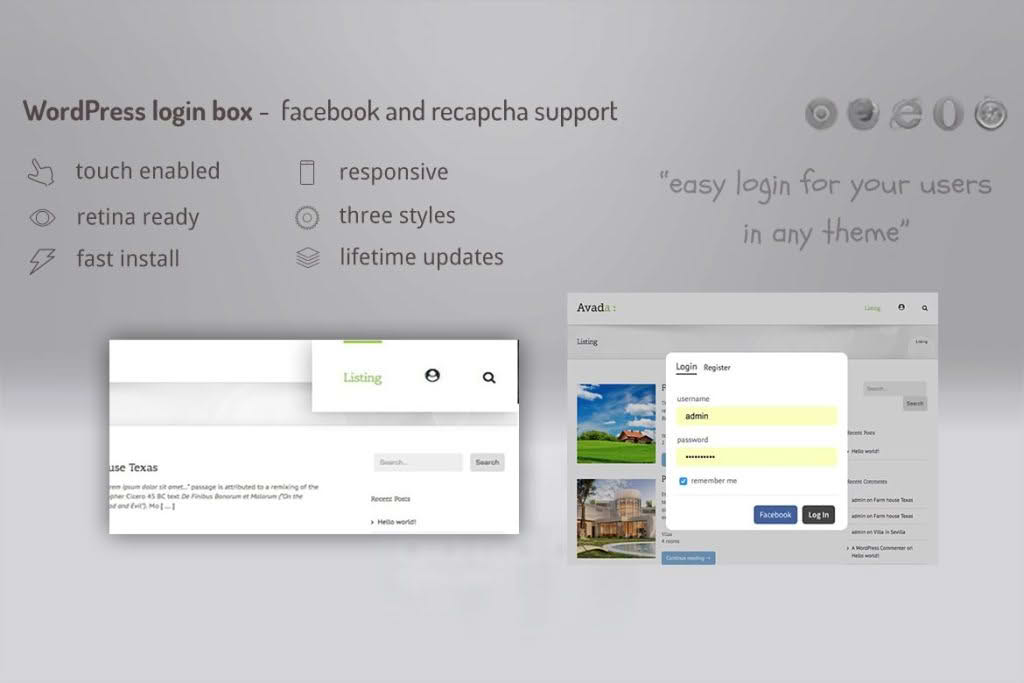
Streamline your user experience and boost engagement by replacing clunky, site-redirecting login pages with a sleek, professional, and non-intrusive modal window. The Login Lightbox plugin allows your visitors to sign in, register, or reset their passwords without ever leaving the page they are currently viewing. By keeping users on your content, you reduce bounce rates, maintain brand continuity, and create a frictionless path for your community to interact with your site.
Key Features
- Seamless Modal Experience: Display login, registration, and password recovery forms in a clean, responsive lightbox that works perfectly on all devices, including mobile phones and tablets.
- Reduced Friction: Eliminate the need for page reloads. Users can log in or register instantly, allowing them to return to their content or shopping cart immediately without losing their place.
- Customizable Design: Tailor the look and feel of the lightbox to match your brand identity, ensuring a professional and cohesive appearance across your entire website.
- Redirect Control: Choose exactly where your users go after they log in or register. Whether you want to send them to their profile, a specific dashboard, or back to the page they were browsing, you have full control over the user journey.
- Social Login Integration: Simplify the sign-up process by allowing users to authenticate via their existing social media accounts, significantly increasing registration conversion rates.
- Spam Protection: Protect your site from unwanted registrations with built-in support for CAPTCHA, ensuring that only genuine users can create accounts.
- Lightweight and Fast: Built with performance in mind, the plugin ensures that your site remains fast and responsive, providing a smooth experience for your visitors without bloating your code.
Use Cases / Who It’s For
This plugin is an essential tool for any WordPress site owner who prioritizes user experience and conversion optimization. If your website relies on user accounts, this tool is designed for you.
E-commerce Store Owners: For online retailers, every click counts. By allowing customers to log in or register via a lightbox during the checkout process, you minimize the risk of cart abandonment caused by being redirected away from the purchase flow.
Membership and Community Sites: If you run a membership site, forum, or community platform, you want your users to feel at home. A lightbox login maintains the context of the discussion or the member-only content, making the site feel like a modern, integrated application rather than a collection of static pages.
Content Publishers and Blogs: For publishers that offer exclusive content or newsletters, a quick and easy registration process is key to growing your subscriber base. The lightbox removes the “barrier to entry” by making the sign-up process feel like a quick, simple interaction rather than a formal, time-consuming task.
Setup / How It Works
Getting started with the Login Lightbox is designed to be straightforward, requiring no advanced coding knowledge. Follow these simple steps to enhance your site:
- Installation: Upload the plugin zip file through your WordPress dashboard or install it directly via the plugin search directory.
- Activation: Once installed, click “Activate” to begin the configuration process.
- Configuration: Navigate to the plugin settings page to customize your lightbox appearance, select your preferred redirect settings, and toggle features like social login or CAPTCHA.
- Implementation: Use the provided shortcode or the automatic menu integration feature to place the login trigger anywhere on your site—whether in your primary navigation menu, a sidebar widget, or directly within your page content.
- Test: Once configured, test the lightbox on the front end to ensure the forms appear and function correctly across different browsers and devices.
Similar Plugins
If you are exploring options for managing user authentication and modal login experiences, you may also want to compare this plugin with other popular solutions such as Theme My Login, Modal Login, and Ultimate Member. Each of these plugins offers varying levels of customization and feature sets, allowing you to choose the tool that best aligns with your specific site requirements.