
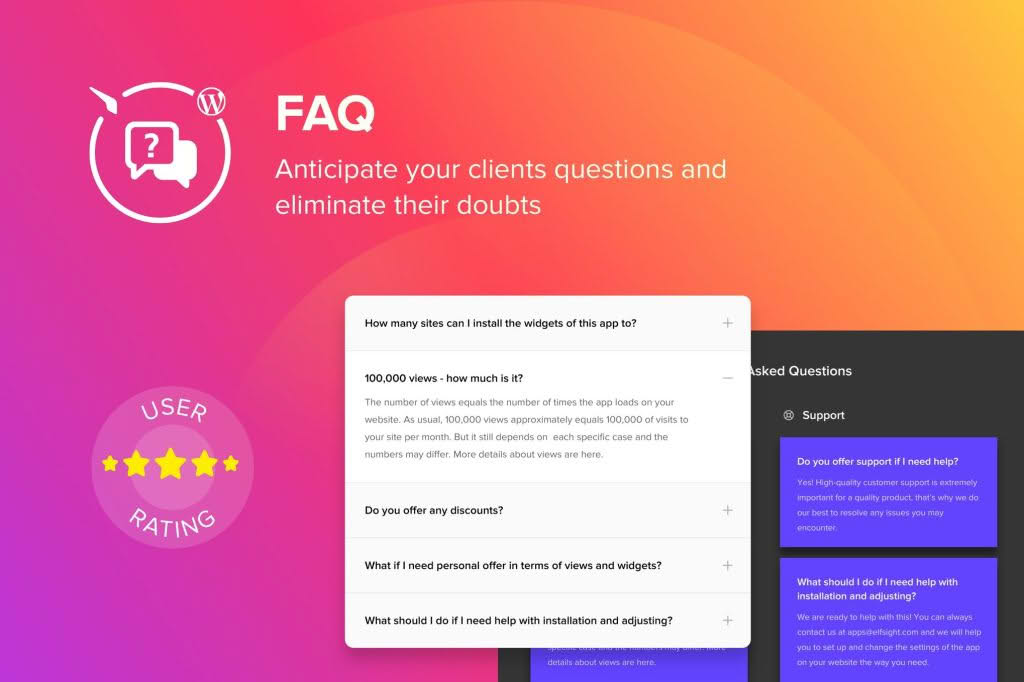
The WordPress Accordion FAQ Plugin is the essential tool for website owners looking to declutter their pages, improve user experience, and provide instant answers to common customer questions. By organizing information into sleek, collapsible sections, you can present a wealth of knowledge without overwhelming your visitors with long, scrolling text. Whether you are running a high-traffic e-commerce store or a professional service site, this plugin helps you build trust and reduce support tickets by putting the information your customers need right at their fingertips.
Key Features
- Responsive Design: Your FAQs will look perfect on every device, from desktop monitors to smartphones, ensuring a seamless experience for all visitors.
- Customizable Styling: Match the look and feel of your brand with intuitive settings that allow you to adjust colors, fonts, and borders without writing a single line of code.
- Unlimited Accordions: Create as many FAQ sections as you need across your website, allowing you to categorize information by product, service, or topic.
- Drag-and-Drop Interface: Easily reorder your questions and answers with a user-friendly backend interface that saves you time and frustration.
- Shortcode Support: Effortlessly embed your FAQ accordions into any page, post, or widget area using simple, clean shortcodes.
- SEO-Friendly Structure: Built with clean code to ensure that your FAQ content remains indexable by search engines, potentially helping your site rank for common customer queries.
- Icon Customization: Choose from a variety of expand/collapse icons to suit your site’s aesthetic and provide clear visual cues to your users.
Use Cases / Who It’s For
This plugin is designed for anyone who wants to provide a professional, organized information hub on their WordPress site. E-commerce store owners find this plugin invaluable for creating “Shipping & Returns” or “Product Sizing” sections that help customers make confident buying decisions. Service providers, such as consultants or agencies, use it to address common pre-sales questions, effectively acting as an automated sales assistant that works 24/7.
It is also a perfect solution for educational sites, membership platforms, or community forums where users frequently ask the same questions. By moving your information into an accordion format, you keep your page layouts clean and professional, which encourages users to stay longer and engage more deeply with your content rather than clicking away due to information overload.
Setup / How It Works
Getting your FAQ section up and running is a straightforward process designed to get you results in minutes:
- Install and Activate: Upload the plugin zip file to your WordPress dashboard via the Plugins menu and click activate.
- Create Your FAQs: Navigate to the plugin menu in your WordPress sidebar and begin adding your questions and corresponding answers. You can organize these into groups or categories.
- Configure Styles: Use the settings panel to select your preferred colors, icon styles, and animation speeds to ensure the accordion matches your theme’s design.
- Publish: Once your content is saved, the plugin will generate a unique shortcode for your accordion. Simply copy and paste this shortcode into any page or post editor where you want the FAQ to appear.
- View and Refine: Preview your page to see the interactive accordion in action. If you need to make updates later, simply return to the plugin dashboard to edit your questions, and the changes will automatically reflect wherever the shortcode is placed.
Similar Plugins
If you are exploring options for your WordPress site, you may also encounter other solutions in this category, such as Accordion FAQ by WPExperts, Ultimate FAQ, and Helpie FAQ. While these plugins share the core functionality of collapsible content, our WordPress Accordion FAQ Plugin is specifically optimized for ease of use and lightweight performance, ensuring that your site speed remains fast while your content remains highly accessible.