
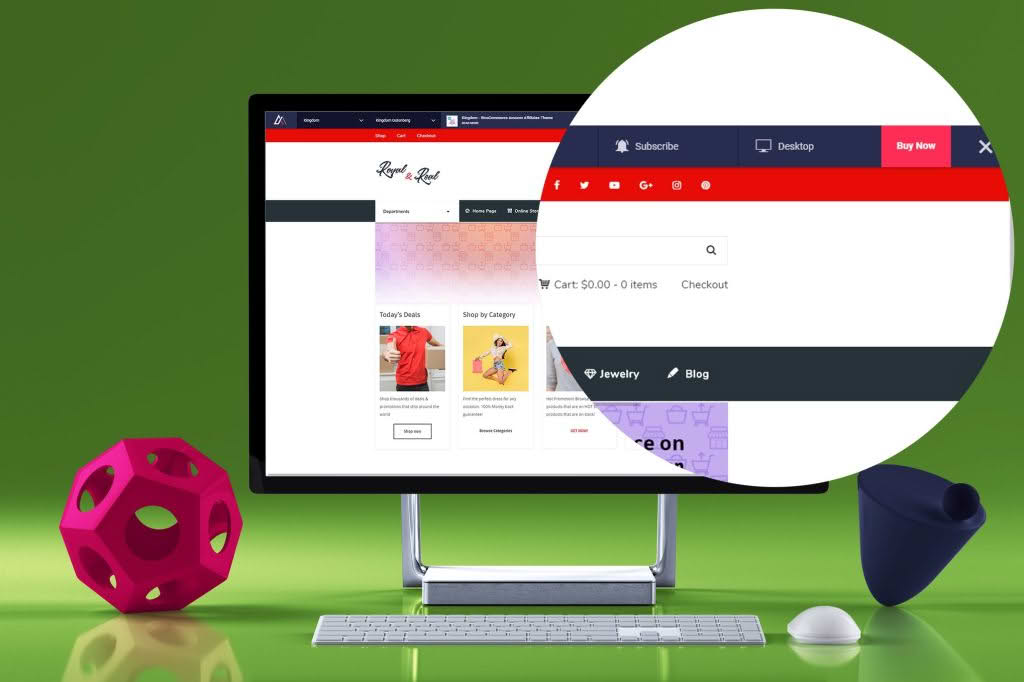
The Live Preview Switch Bar for WordPress is the ultimate utility for site administrators, developers, and content creators who need to test, review, and compare different themes or site configurations without disrupting the live user experience. By adding a discreet, functional preview bar to your site, you can instantly toggle between active themes or layout variations, allowing you to visualize changes in a real-world environment before committing them to the public. This tool removes the guesswork from site updates and ensures that every design adjustment meets your standards before your visitors ever see it.
Key Features
- Seamless Theme Switching: Instantly preview any installed theme on your site with a single click, allowing you to test responsiveness and layout compatibility without activating the theme for your live visitors.
- Customizable Preview Bar: Configure the appearance and positioning of the switch bar to ensure it remains accessible while you work, without interfering with your site’s user interface elements.
- Role-Based Access Control: Maintain security by restricting access to the preview bar to specific user roles, such as administrators or editors, ensuring that unauthorized users cannot trigger preview modes.
- Device Emulation Testing: Quickly toggle between desktop, tablet, and mobile viewports directly within the preview environment to ensure your design remains consistent across all screen sizes.
- Safe Environment: All previewing occurs in a sandboxed session, meaning your live site remains untouched and fully functional for your actual visitors while you conduct your testing.
- Easy Configuration: Get up and running in minutes with a user-friendly settings panel that requires no coding knowledge to manage your preview options.
Use Cases / Who It’s For
This plugin is an essential asset for anyone managing a professional WordPress installation. If you are a web developer, the Live Preview Switch Bar allows you to showcase design iterations to clients on the actual live site environment, providing a much more accurate representation than static mockups. It enables you to demonstrate how a new theme or layout will handle existing content, custom post types, and complex menus.
For site owners and content managers, this plugin is a lifesaver during redesigns or seasonal updates. Instead of relying on a staging site that may not always sync perfectly with your live database, you can use this tool to verify that your new theme configuration handles your current content correctly. It is also ideal for e-commerce store owners who need to ensure that product pages, checkout flows, and cart functionality remain intact while testing a new theme or design aesthetic.
Setup / How It Works
- Installation: Upload the plugin zip file to your WordPress dashboard via the Plugins menu, or install it directly through the WordPress repository, then activate it.
- Configuration: Navigate to the plugin settings page to define which user roles are permitted to see and use the preview bar.
- Customize: Adjust the bar’s position on the screen and select which themes you want to make available for previewing.
- Preview: Once configured, log in as an authorized user and visit your site. You will see the preview bar at the top or bottom of your screen. Select a target theme from the dropdown menu to instantly view your site through that theme’s layout.
- Finalize: Once you are satisfied with the preview, you can choose to activate the theme permanently through your standard WordPress Appearance settings.
Similar Plugins
While the Live Preview Switch Bar offers a specialized approach to theme testing, users looking for broader site management capabilities may also consider tools like WP Theme Switcher, which provides similar front-end theme toggling functionality. Additionally, those who require more comprehensive staging environments might explore WP Staging or Duplicator, which allow for full-site cloning and migration testing, though these are significantly more complex than the lightweight, real-time previewing provided by the Live Preview Switch Bar.