
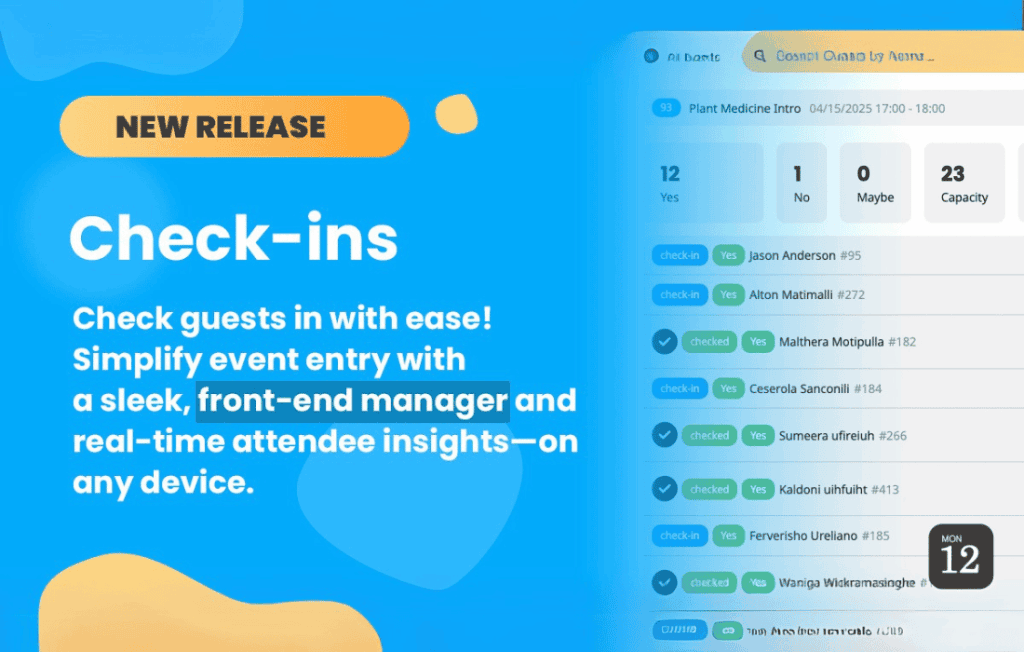
Transform your event management workflow with EventON – Check-ins, the essential add-on designed to streamline attendee verification and gate management. If you are already using EventON to showcase your schedule, this extension bridges the gap between digital planning and on-site execution. By turning your mobile device or tablet into a powerful scanning tool, you can eliminate long queues, prevent ticket fraud, and gain real-time insights into your event attendance, ensuring a professional and seamless experience for your guests from the moment they arrive.
Key Features
- Seamless QR Code Scanning: Utilize your device’s camera to instantly scan attendee QR codes, ensuring rapid verification and reducing wait times at entry points.
- Real-Time Attendance Tracking: Monitor your event capacity and attendee flow with live updates, allowing you to see exactly who has checked in and who is still expected.
- Manual Check-in Capability: Not every guest will have their digital ticket ready. Easily search for attendees by name or email to perform manual check-ins when necessary.
- Multi-Device Support: Deploy multiple staff members with their own devices to scan attendees simultaneously, perfect for large-scale events with high-volume traffic.
- Detailed Reporting: Access comprehensive data regarding check-in times and attendance rates, helping you analyze the success of your events and plan better for the future.
- Syncs with EventON: Built specifically for the EventON ecosystem, this tool pulls attendee data directly from your existing event bookings, requiring no complex integrations or third-party platforms.
Use Cases and Who It’s For
EventON – Check-ins is the perfect solution for event organizers, venue managers, and community leaders who demand efficiency. Whether you are hosting a professional conference, a music festival, a workshop, or a recurring community meetup, this plugin removes the stress of manual guest lists.
For conference organizers, it provides a sophisticated look that impresses attendees while keeping the registration desk organized. For venue owners managing recurring events, it offers a reliable way to track repeat visitors and manage capacity limits. If your goal is to professionalize your event entry process and move away from paper-based checklists, this tool is designed to save you hours of administrative work and provide peace of mind during the busy check-in period.
Setup and How It Works
Getting started with EventON – Check-ins is designed to be straightforward, allowing you to focus on your event rather than technical configurations:
- Install and Activate: Ensure you have the core EventON plugin installed, then upload and activate the Check-ins add-on.
- Enable Check-ins: Navigate to your specific event settings within the WordPress dashboard and enable the check-in functionality for that event.
- Generate Tickets: Ensure your attendees have received their digital tickets containing the unique QR codes generated by your booking system.
- Access the Scanner: Staff members can access the scanning interface directly from a web browser on their mobile device or tablet.
- Scan and Verify: Simply point the device camera at the attendee’s QR code. The system will instantly validate the ticket and mark the attendee as checked in, providing immediate visual feedback.
Similar Plugins
While EventON – Check-ins is a specialized solution for the EventON ecosystem, other event management plugins offer similar functionality for their respective platforms. Options such as The Events Calendar with their Event Tickets Plus add-on, or WooCommerce-based solutions like YITH WooCommerce Event Tickets, also provide QR code scanning and attendee management features. However, if you are already invested in the EventON design and functionality, this add-on provides the most cohesive and integrated experience for your website.