
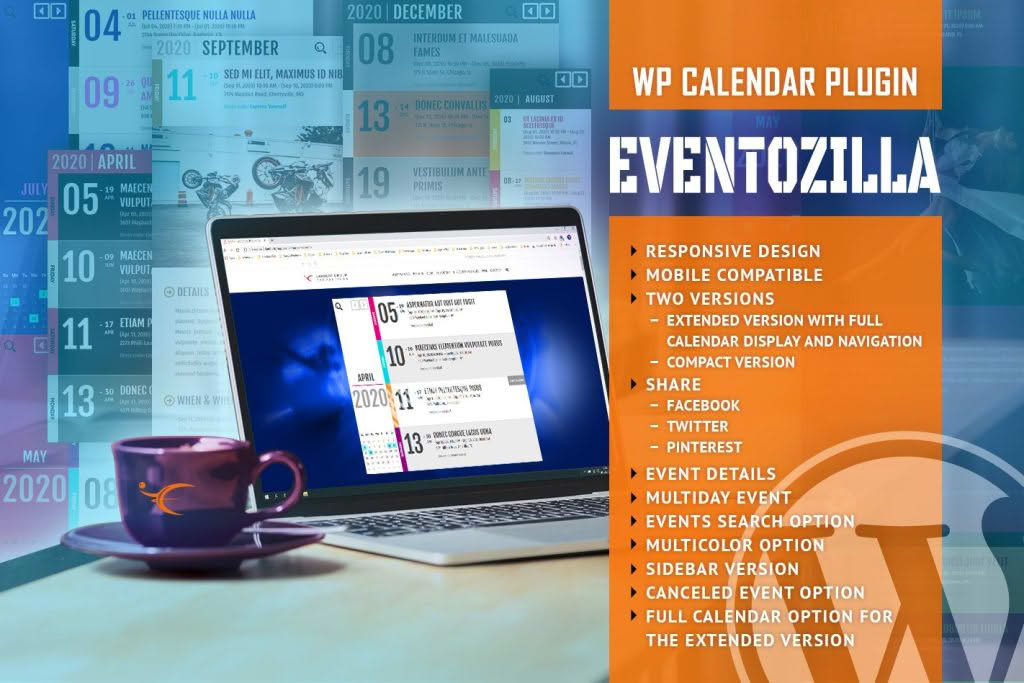
EventoZilla is a comprehensive event management solution designed to transform your WordPress website into a professional-grade event hub. Whether you are managing small community meetups, complex corporate conferences, or recurring workshops, this plugin streamlines the entire process from initial listing to attendee registration. By providing a seamless, intuitive interface for both site administrators and visitors, EventoZilla helps you boost engagement, simplify scheduling, and ensure your audience never misses an important date.
Key Features
- Intuitive Event Creation: Quickly publish events with an easy-to-use editor that allows you to add detailed descriptions, venue information, organizers, and high-quality imagery.
- Flexible Calendar Views: Offer your visitors the best browsing experience with multiple layout options, including month, week, day, and list views, ensuring your schedule is accessible on any device.
- Advanced Filtering and Search: Help users find exactly what they are looking for with robust search functionality that allows filtering by date, category, venue, or keyword.
- Recurring Event Support: Save time by easily setting up events that repeat daily, weekly, or monthly without having to recreate them manually.
- Venue and Organizer Management: Maintain a centralized database of your locations and speakers, allowing you to reuse information across multiple event listings effortlessly.
- Mobile-Responsive Design: Ensure your calendar looks polished and functions perfectly on smartphones, tablets, and desktops, maximizing reach across all user platforms.
- Seamless Integration: Designed to work harmoniously with popular WordPress themes and page builders, ensuring the calendar matches your site’s existing design aesthetic.
Use Cases / Who It’s For
EventoZilla is built for anyone who needs to manage a schedule of events directly within their WordPress dashboard. It is an ideal solution for small business owners, community organizations, educational institutions, and corporate entities alike.
If you run a local community center or non-profit, EventoZilla makes it simple to keep your members informed about upcoming workshops, fundraisers, and volunteer opportunities. For businesses, it serves as a powerful tool for promoting webinars, product launches, and networking events. Educational institutions can utilize the plugin to display academic calendars, guest lecture series, and extracurricular activities. Regardless of your industry, if you need to organize time-sensitive information and encourage attendance, this plugin provides the structure and professional presentation required to succeed.
Setup / How It Works
Getting started with EventoZilla is designed to be a straightforward process, allowing you to go from installation to a live, functional calendar in just a few steps:
- Installation: Upload the plugin zip file through your WordPress dashboard, activate it, and follow the initial configuration wizard to set your preferred date and time formats.
- Define Venues and Organizers: Before adding your first event, populate your venue and organizer directories. This ensures that when you create an event, you can simply select these details from a dropdown menu.
- Add Events: Navigate to the EventoZilla menu in your dashboard to add your event details, including date, time, location, and featured images.
- Display the Calendar: Use the provided shortcode or the dedicated block editor widget to place your calendar on any page or post. The plugin automatically generates a clean, interactive display for your visitors.
- Manage and Update: As your schedule changes, you can edit, reschedule, or cancel events from the backend, and the changes will reflect instantly on your front-end calendar.
Similar Plugins
While EventoZilla offers a unique balance of simplicity and functionality, users looking for alternative solutions in the WordPress ecosystem may also consider The Events Calendar, Event Organiser, or All-in-One Event Calendar. Each of these plugins offers varying approaches to event management, allowing you to choose the tool that best aligns with your specific technical requirements and design preferences.