
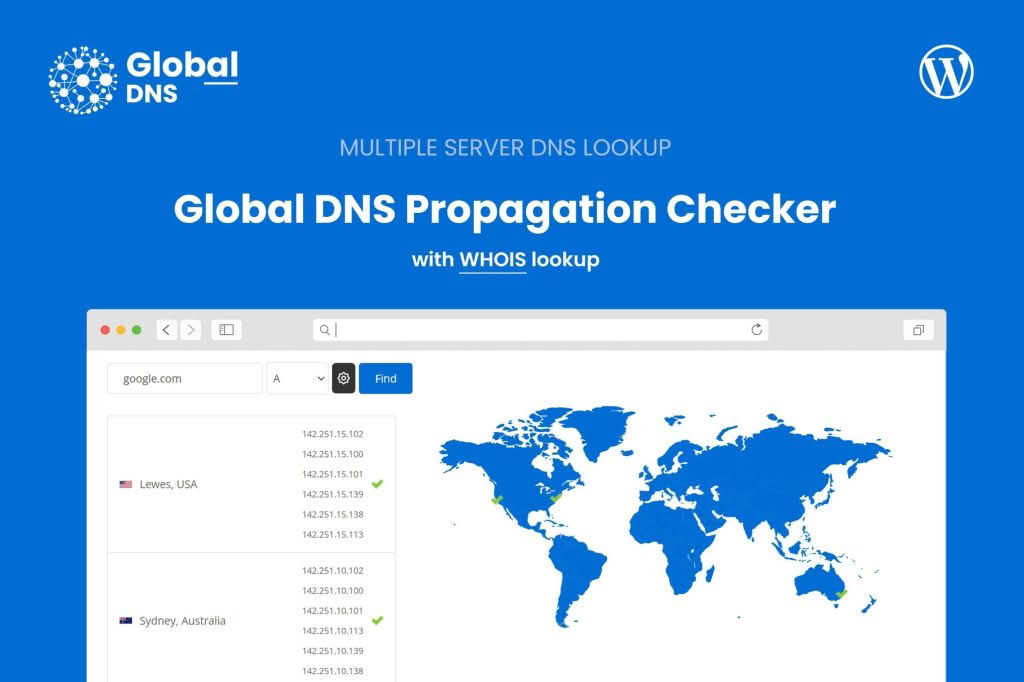
Global DNS is a powerful, lightweight WordPress plugin designed to bring professional-grade DNS propagation checking and lookup tools directly to your own website. Instead of relying on third-party external services to troubleshoot connectivity or verify record updates, this plugin empowers you to perform instant, multi-server DNS lookups within your own dashboard. It is an essential utility for webmasters, agencies, and IT teams who need to ensure their domains are correctly configured and fully propagated across the globe.
Key Features
- Multi-Server Support: Add an unlimited number of servers to your lookup configuration, allowing you to gather comprehensive data from various geographical locations.
- Comprehensive Record Types: Support for over 10 different DNS record types, including A, AAAA, CNAME, MX, NS, TXT, SRV, and CAA, ensuring you can verify every aspect of your domain’s health.
- Built-in WHOIS Lookup: Easily check domain registration details, ownership information, and expiration dates directly from your WordPress interface.
- Modern, Responsive UI: Includes a clean, user-friendly interface that is fully responsive and features a built-in Dark Mode option to match your site’s aesthetic.
- Real-Time Insights: Instantly see which server your website is pointing to, making it easier to troubleshoot migration issues or verify DNS changes immediately after they are made.
Use Cases / Who It’s For
Global DNS is built for professionals who manage multiple websites and need reliable, fast, and white-labeled diagnostic tools. Hosting providers can use this plugin to help clients troubleshoot migration or propagation issues without leaving their support portal. SEO agencies benefit by quickly verifying domain ownership or confirming that critical TXT records (such as SPF, DKIM, or DMARC) have been correctly implemented. Furthermore, any IT team or site owner can use it as an internal utility to monitor DNS health and ensure that configuration changes are taking effect as expected across the global network.
Setup / How It Works
Setting up Global DNS is straightforward and requires no complex coding. Once the plugin is installed and activated, you can configure your server nodes through the admin settings page. To ensure full functionality, including the WHOIS lookup feature, your server environment should have the PHP fsockopen function enabled and TCP Port 43 open for outgoing traffic. For advanced DNS fetching, the shell_exec function may also be required. Once configured, you can perform lookups instantly by entering the domain and selecting the desired record type, providing you with clear, actionable data in seconds.