
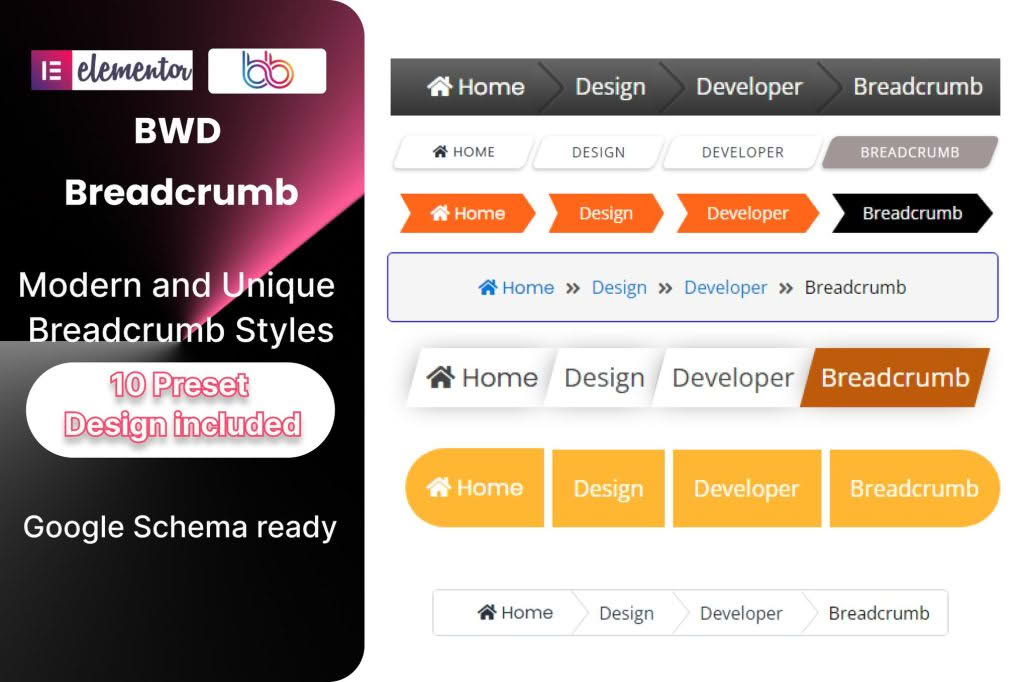
Enhance your website’s navigation and boost your SEO performance with the BWD Breadcrumb Addon for Elementor. This powerful extension allows you to seamlessly integrate professional, fully customizable breadcrumb trails into any page or post built with the Elementor page builder. By providing users with a clear path back to your homepage and helping search engines better understand your site architecture, this plugin ensures a smoother user experience and improved discoverability for your content.
Key Features
- Drag-and-Drop Integration: Designed specifically for Elementor, you can easily drag and drop the breadcrumb widget onto any section, header, or footer area without writing a single line of code.
- Extensive Styling Options: Take full control over the look and feel of your breadcrumbs. Customize typography, colors, spacing, alignment, and separator icons to perfectly match your brand identity.
- Dynamic Content Support: The plugin automatically generates breadcrumb trails based on your site’s hierarchy, ensuring that your links remain accurate as you add new pages, posts, or categories.
- SEO-Friendly Structure: Built with search engine optimization in mind, the plugin helps search engines crawl and index your site more effectively, potentially improving your rankings for relevant search queries.
- Responsive Design: Your breadcrumbs will look great on any device. The plugin is fully responsive, ensuring that navigation remains accessible and readable on desktops, tablets, and mobile phones.
- Customizable Separators: Choose from a variety of separator styles or upload your own custom icons to create a unique navigation experience that fits your website’s aesthetic.
- Lightweight and Fast: Developed with performance as a priority, the addon is lightweight and optimized to ensure it does not negatively impact your website’s loading speed.
Use Cases / Who It’s For
The BWD Breadcrumb Addon for Elementor is an essential tool for a wide range of website owners and developers. If you manage a large e-commerce store with complex product categories, breadcrumbs are vital for helping customers navigate back to parent categories without getting lost. For content-heavy blogs or news sites, breadcrumbs provide a clear path through archives and tags, keeping readers engaged longer.
Web designers and agencies will find this tool invaluable for streamlining the development process. Instead of relying on theme-specific breadcrumb settings or complex custom coding, you can maintain consistent navigation across different projects by using this standardized Elementor widget. Whether you are building a corporate business site, a personal portfolio, or a massive online marketplace, this plugin provides the flexibility needed to create intuitive, user-friendly navigation trails that satisfy both your visitors and search engine crawlers.
Setup / How It Works
- Install and Activate: Upload the BWD Breadcrumb Addon plugin to your WordPress dashboard via the Plugins menu and activate it. Ensure that the Elementor plugin is also installed and active.
- Access the Widget: Open any page or template using the Elementor editor. In the left-hand sidebar, search for the “BWD Breadcrumb” widget.
- Drag and Drop: Drag the widget into the desired location on your page, such as just below your header or above your main content area.
- Configure Settings: Use the Elementor control panel to adjust the breadcrumb settings. You can modify the separator icon, toggle the visibility of the homepage link, and adjust the alignment.
- Style Your Breadcrumbs: Navigate to the “Style” tab in the Elementor panel to customize colors, font sizes, hover effects, and padding to ensure the breadcrumbs blend seamlessly with your site’s design.
- Save and Publish: Once you are satisfied with the appearance and functionality, click “Update” or “Publish” to make the changes live on your site.
Similar Plugins
If you are exploring options for breadcrumb functionality within the WordPress ecosystem, there are several alternatives available. Some popular choices include the Yoast SEO or Rank Math SEO plugins, both of which offer built-in breadcrumb functionality that can be inserted via shortcodes or theme hooks. Additionally, other Elementor-focused addon packs, such as Essential Addons for Elementor or JetElements, also include breadcrumb widgets as part of their broader suites of design tools.