
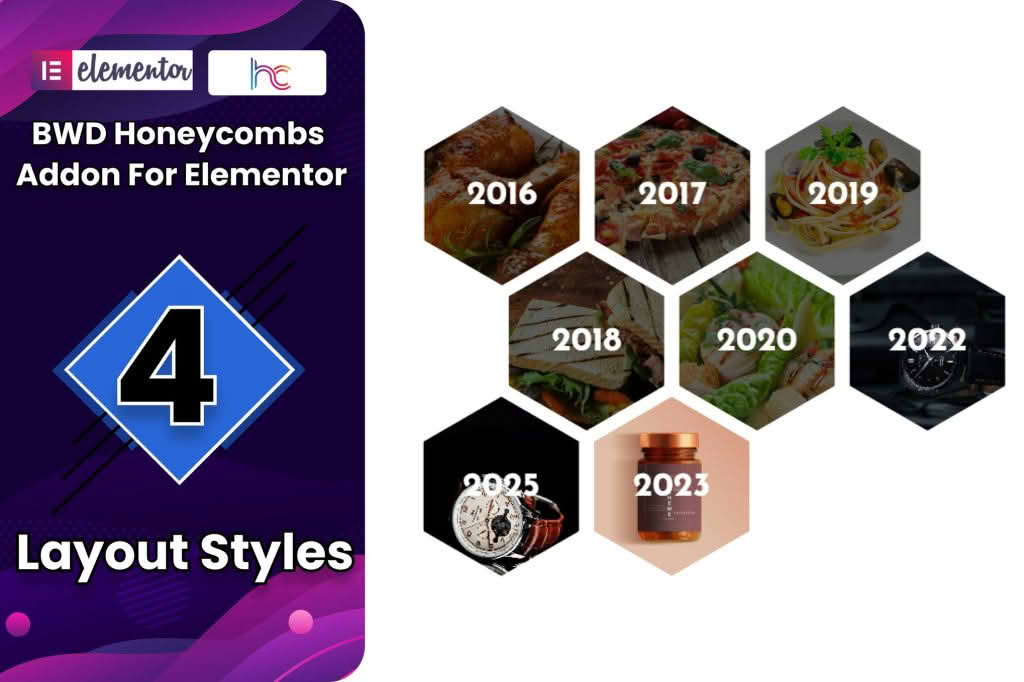
Transform your website’s visual appeal with the Honeycombs Addon for Elementor, a specialized tool designed to help you break away from standard, rigid grid layouts. If you are a designer or site owner looking to showcase images, team members, or service highlights in a unique, eye-catching hexagonal pattern, this addon provides the perfect solution. By integrating seamlessly into the Elementor page builder, it allows you to create stunning, responsive honeycomb displays that capture visitor attention and encourage deeper engagement with your content.
Key Features
- Intuitive Elementor Integration: Designed specifically for the Elementor ecosystem, allowing you to drag and drop honeycomb widgets directly onto your pages without writing a single line of code.
- Customizable Hexagon Layouts: Easily adjust the size, spacing, and arrangement of your honeycomb cells to fit your specific design requirements.
- Responsive Design: Ensures your honeycomb layouts look perfect on all devices, automatically adjusting to screen sizes so your content remains accessible on mobile, tablet, and desktop.
- Interactive Hover Effects: Enhance user experience with built-in hover animations that bring your content to life when visitors interact with individual honeycomb cells.
- Content Versatility: Use the addon to display images, icons, text, or a combination of elements within each hexagon, making it ideal for diverse content types.
- Styling Controls: Take full control over borders, shadows, background colors, and typography within the Elementor editor, ensuring your honeycomb design perfectly matches your brand identity.
Use Cases / Who It’s For
The Honeycombs Addon for Elementor is an essential tool for creative professionals, agencies, and business owners who want their websites to stand out from the crowd. It is particularly effective for those who need to present information in a non-traditional way that feels modern and dynamic.
Portfolio Showcases: Photographers, graphic designers, and artists can use the honeycomb layout to create a visually striking gallery that highlights their work in a unique, mosaic-like format.
Team Pages: Instead of the standard square headshots, use the honeycomb layout to display your team members. This creates a cohesive and professional look that feels more inviting and creative.
Service Highlights: If you offer multiple services, the honeycomb grid provides an engaging way to group them together. Each hexagon can represent a different service, making it easy for users to navigate and understand your offerings at a glance.
Feature Comparisons: Use the layout to highlight key benefits or features of a product in a way that is far more visually interesting than a standard bulleted list or table.
Setup / How It Works
Getting started with the Honeycombs Addon for Elementor is straightforward, designed to get your unique layout live in minutes:
- Install and Activate: Once you have installed the plugin alongside Elementor, activate it through your WordPress dashboard.
- Access the Widget: Open any page or post using the Elementor editor. In the widget panel on the left, search for the Honeycomb widget.
- Drag and Drop: Drag the widget onto your desired section on the canvas.
- Configure Content: Use the content tab to add your images, text, or links to each individual honeycomb cell.
- Style to Perfection: Switch to the style tab to adjust the spacing, colors, borders, and hover effects to ensure the layout aligns with your website’s overall aesthetic.
- Publish: Once you are satisfied with the look, save your changes and publish your page to display your new honeycomb layout to the world.
Similar Plugins
If you are exploring different ways to achieve unique grid layouts within Elementor, you may also consider other layout-focused addons such as Essential Addons for Elementor, Premium Addons for Elementor, or JetElements. These plugins often include a wide variety of grid and layout widgets that can complement or serve as alternatives to specialized honeycomb displays depending on your specific design goals.