
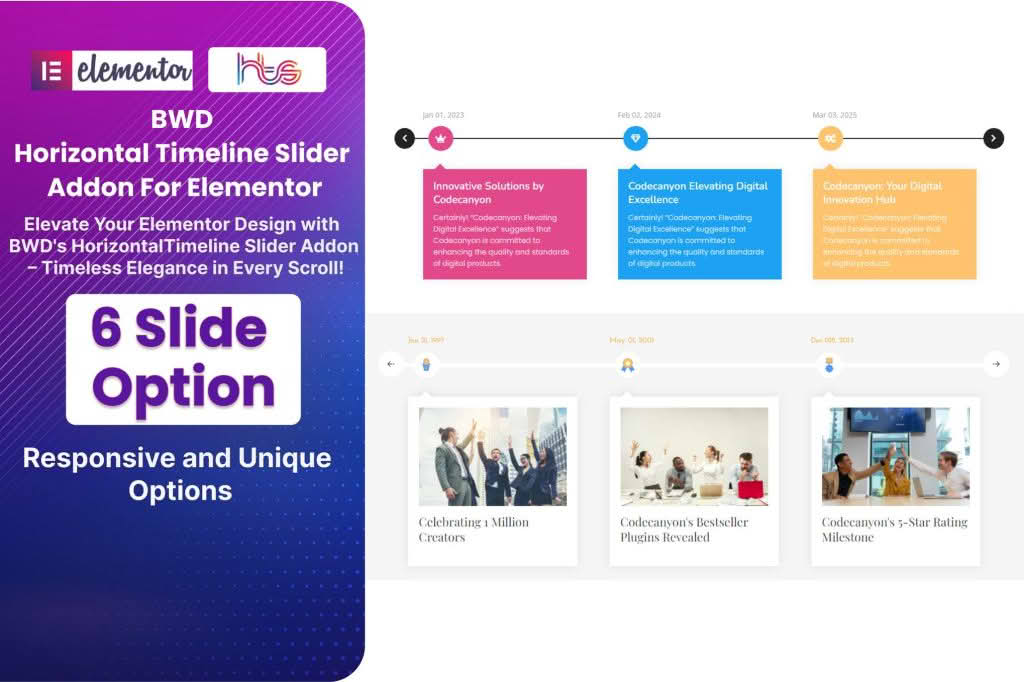
Transform your website’s storytelling with the Horizontal Timeline Slider, a powerful WordPress plugin designed to turn complex chronological data into engaging, interactive visual experiences. Whether you are showcasing a company’s rich history, mapping out a project roadmap, or detailing a personal journey, this plugin allows you to present time-based information in a sleek, horizontal format that keeps visitors scrolling and reading. By replacing static, text-heavy lists with a dynamic slider, you significantly improve user engagement and ensure your most important milestones are impossible to miss.
Key Features
- Responsive Design: Your timeline will look perfect on every device, from desktop monitors to mobile phones, ensuring a consistent experience for all your visitors.
- Intuitive Customization: Easily tailor the look and feel of your timeline to match your brand identity using built-in settings for colors, fonts, and layout styles.
- Interactive Navigation: Users can effortlessly navigate through your timeline using smooth swipe gestures, click-to-advance arrows, or mouse-wheel scrolling.
- Media Support: Enhance your milestones by embedding images, videos, and icons, making your timeline a rich multimedia showcase rather than just a text display.
- Shortcode Integration: Seamlessly insert your timeline into any post, page, or widget area using simple, generated shortcodes, requiring zero coding knowledge.
- Performance Optimized: Built with clean, efficient code to ensure your site remains fast and lightweight, even with complex timelines containing many entries.
- Flexible Content Layouts: Choose from various pre-designed templates to display your timeline entries, allowing you to highlight dates, descriptions, and media in the way that best suits your content.
Use Cases / Who It’s For
The Horizontal Timeline Slider is an essential tool for any website owner looking to add a professional, narrative-driven element to their pages. It is particularly valuable for businesses aiming to build trust by displaying their corporate history, milestones, and achievements in an easy-to-digest format. Project managers can use it to visualize development roadmaps, keeping stakeholders informed about past progress and future goals. Additionally, bloggers, portfolio owners, and educators find it perfect for documenting biography timelines, travel logs, or historical events, turning dry dates into a compelling visual journey that captures the reader’s attention from start to finish.
Setup / How It Works
- Install and Activate: Upload the plugin zip file to your WordPress dashboard via the Plugins menu and activate it.
- Create Your Timeline: Navigate to the plugin dashboard to create a new timeline. Add your milestones by inputting the date, title, and descriptive content for each event.
- Customize Appearance: Use the settings panel to select your preferred color scheme, timeline orientation, and animation effects to ensure the slider aligns with your website’s design.
- Publish: Once your timeline is configured, copy the provided shortcode. Paste this shortcode into any WordPress page, post, or sidebar widget where you want the timeline to appear.
- View and Refine: Save your changes and visit the front end of your site to see your interactive timeline in action. You can return to the dashboard at any time to add new milestones or update existing content.
Similar Plugins
If you are exploring options for timeline functionality, you may also encounter other solutions in the WordPress ecosystem such as Cool Timeline, Timeline Express, and Elementor Timeline Addons. While these tools offer varying approaches to timeline creation, the Horizontal Timeline Slider focuses specifically on providing a streamlined, high-performance horizontal interface that prioritizes mobile responsiveness and ease of use for non-technical users.