
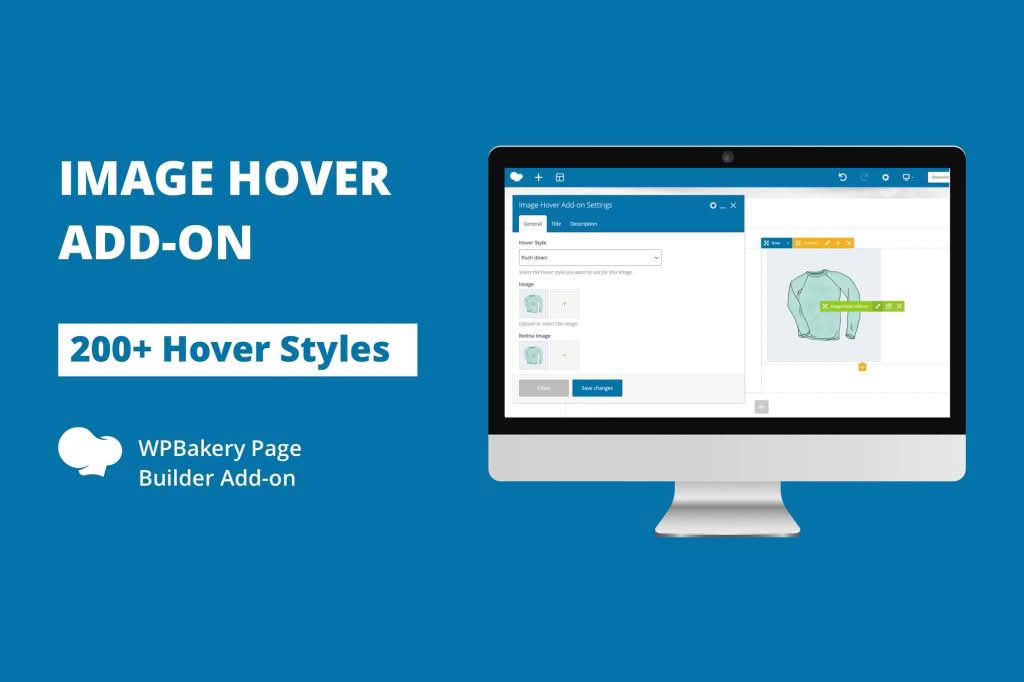
Transform static images into engaging, interactive experiences with the Image Hover Add-on for WPBakery Page Builder. Designed specifically for users who want to elevate their website’s visual storytelling, this plugin allows you to add sophisticated hover effects to your images without writing a single line of code. Whether you are looking to display hidden information, reveal secondary images, or add subtle animations to your gallery, this add-on provides the creative flexibility needed to capture your visitors’ attention and keep them engaged.
Key Features
- Diverse Hover Effects: Choose from a wide library of pre-built hover animations, including fades, slides, zooms, rotations, and flips, ensuring your images stand out with professional-grade motion.
- Seamless WPBakery Integration: This add-on functions as a native element within the WPBakery Page Builder interface, allowing you to drag and drop hover-enabled images directly into your layouts.
- Customizable Overlays: Add color overlays, text, or icons that appear only when a user hovers over an image, perfect for creating call-to-action buttons or descriptive captions.
- Fully Responsive Design: Ensure your hover effects look perfect on all devices. The plugin is built to be mobile-friendly, providing graceful fallbacks for touch-screen devices where traditional hover states may not apply.
- Typography and Styling Controls: Take full control over the appearance of hover text with built-in options for font sizes, colors, alignment, and background styling.
- Link Support: Easily turn any hover-enabled image into a clickable link, directing your traffic exactly where you want it to go while maintaining a sleek, interactive aesthetic.
- Performance Optimized: Built with clean, lightweight code to ensure that your site remains fast and responsive, even when multiple hover effects are used on a single page.
Use Cases: Who It’s For
The Image Hover Add-on is an essential tool for web designers, creative agencies, and business owners who rely on visual impact to convert visitors. If you are building a portfolio, this plugin is perfect for showcasing your projects by revealing project titles or “view more” buttons upon hover, creating a cleaner look for your gallery. E-commerce store owners can use these effects to display secondary product angles or promotional badges, helping to highlight product details without cluttering the initial page view.
Marketing professionals will also find immense value in this tool for creating interactive banners and featured service sections. By adding a layer of interaction, you encourage users to explore your content, which can lead to increased dwell time and improved user experience metrics. Whether you are a beginner looking for an easy way to spice up your blog or a professional developer aiming to deliver high-end client sites, this plugin provides the tools to make your static content dynamic.
Setup: How It Works
Getting started with the Image Hover Add-on is designed to be intuitive for anyone already familiar with the WPBakery ecosystem:
- Installation: Install and activate the plugin as you would any standard WordPress plugin. Once active, it automatically registers its elements within your WPBakery Page Builder library.
- Add Element: Open your page or post in the WPBakery editor, click to add a new element, and select the Image Hover component from the list.
- Configure Content: Upload your primary image and, if desired, a secondary hover image. You can also input text, icons, or links that you want to display upon interaction.
- Select Animation: Use the settings panel to choose your preferred hover effect from the dropdown menu. You can preview these effects directly within the builder settings.
- Style and Save: Adjust colors, padding, and typography to match your brand identity. Once you are satisfied, save your changes and publish your page to see the effects live.
Similar Plugins
If you are exploring other options for adding interactivity to your WordPress site, you may also encounter plugins such as the “Hover Effects for Elementor” or “Ultimate Addons for WPBakery Page Builder.” While these plugins may offer broader suites of tools, the Image Hover Add-on for WPBakery remains a top choice for users who want a dedicated, lightweight solution specifically optimized for image-based interactions within the WPBakery environment.