
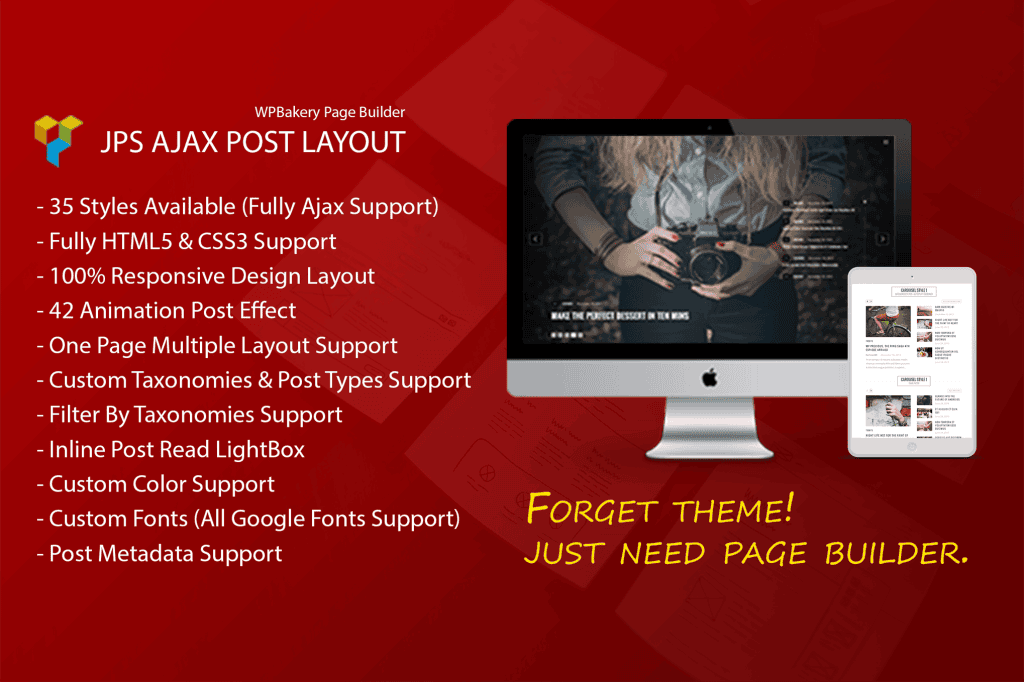
Elevate your website’s visual storytelling with JPS Post Layout, a powerful extension designed specifically for the WPBakery Page Builder. If you are tired of standard, cookie-cutter blog layouts, this plugin empowers you to showcase your content in dynamic, professional, and highly engaging formats. Whether you are running a news portal, a creative portfolio, or a business blog, JPS Post Layout gives you the design flexibility to transform how your audience interacts with your posts, helping you increase engagement and keep visitors on your site longer.
Key Features
- Diverse Layout Options: Choose from a variety of pre-built, modern grid and list styles to suit your brand identity, ensuring your content always looks polished and intentional.
- Seamless WPBakery Integration: Built as a native addon, it works directly within the WPBakery interface. You can drag and drop elements, adjust settings, and see changes in real-time without touching a single line of code.
- Advanced Query Controls: Take full command over which posts appear where. Filter by specific categories, tags, or authors, and easily limit the number of posts displayed to create curated content sections on any page.
- Customizable Design Elements: Tailor the look of your post blocks by toggling elements like featured images, post excerpts, metadata (author, date, comments), and “read more” buttons to match your site’s aesthetic.
- Responsive Design: Every layout is crafted to look stunning on all devices. Whether your readers are on desktops, tablets, or smartphones, your content will automatically adjust to provide an optimal viewing experience.
- Performance Focused: Designed with clean code to ensure that adding beautiful layouts doesn’t compromise your website’s loading speed or search engine performance.
Use Cases and Who It’s For
JPS Post Layout is the perfect tool for website owners, content creators, and agencies who rely on WPBakery Page Builder but find the default post display options too restrictive. If you are a blogger looking to create a magazine-style homepage, this plugin allows you to highlight featured stories at the top while listing recent updates below in a clean, organized fashion.
For business owners, it is an essential tool for showcasing company news, case studies, or industry insights in a professional layout that builds credibility. Agencies and freelancers will find it particularly valuable when building sites for clients who need a simple way to manage and display blog content without needing to understand complex development workflows. It bridges the gap between high-end design requirements and the ease of use that WPBakery users expect.
Setup and How It Works
Getting started with JPS Post Layout is designed to be intuitive for anyone already familiar with the WPBakery environment. Follow these simple steps to bring your layouts to life:
- Install and Activate: Once you have installed the plugin alongside WPBakery, it will automatically register new elements within the WPBakery element library.
- Add the Element: Open any page or post in the WPBakery editor, click the plus icon to add a new element, and select the JPS Post Layout module from the list.
- Configure Settings: A settings window will appear, allowing you to select your preferred layout style, define your post query (categories, count, order), and toggle the visibility of various post elements like dates or excerpts.
- Save and Publish: Once you have configured your settings, save the element and update your page. Your new, professional post layout will be live immediately for your visitors to enjoy.
Similar Plugins
If you are exploring your options within the WPBakery ecosystem, you may also consider other post-grid solutions such as Essential Addons for WPBakery, The Plus Addons for WPBakery Page Builder, or Ultimate Addons for WPBakery. Each of these offers a different suite of features, and we recommend comparing their specific layout styles and query capabilities to ensure you choose the tool that best fits your design workflow and content strategy.