
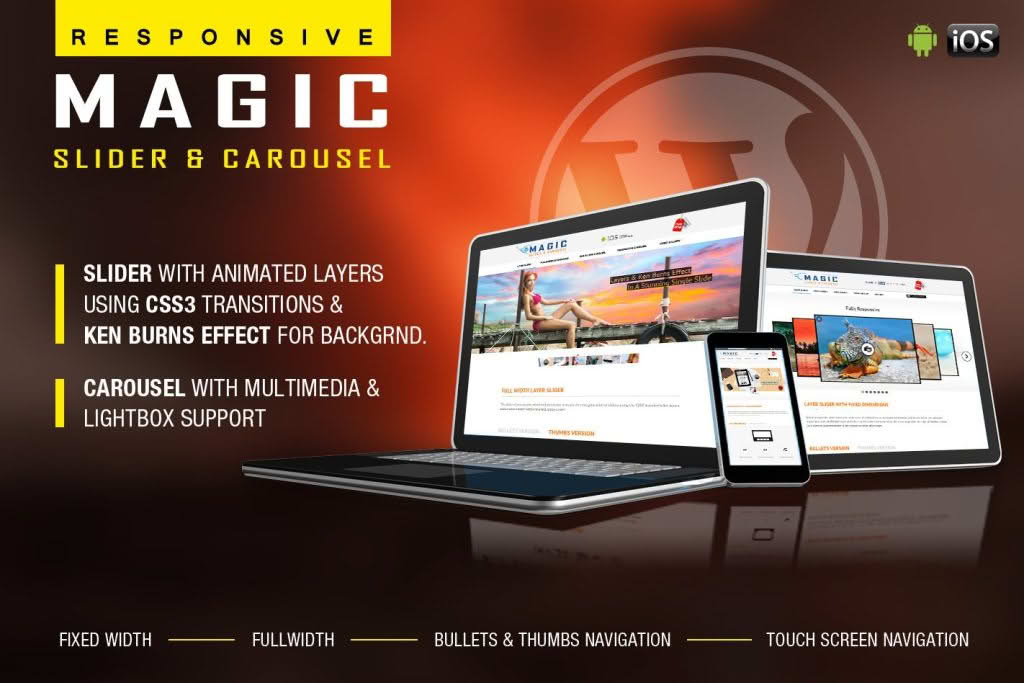
Transform your website’s visual appeal and boost user engagement with the Magic Responsive Slider and Carousel plugin. Designed for store owners, bloggers, and web professionals, this powerful tool allows you to create stunning, touch-friendly image and content sliders that adapt perfectly to any device. Whether you want to showcase your latest products, highlight featured blog posts, or create an immersive brand experience, this plugin provides the flexibility and performance needed to captivate your audience without requiring a single line of code.
Key Features
- Fully Responsive Design: Your sliders and carousels will automatically adjust to look flawless on desktops, tablets, and mobile devices, ensuring a consistent user experience across all screen sizes.
- Touch-Friendly Navigation: Built with mobile users in mind, the plugin supports smooth swipe gestures, making it intuitive for visitors to browse through your content on touchscreens.
- Drag-and-Drop Interface: Save time and effort with an intuitive backend interface that allows you to manage slides, reorder content, and configure settings with simple drag-and-drop actions.
- Customizable Transitions: Choose from a variety of transition effects and animation speeds to create a professional, polished look that matches your brand identity.
- Versatile Content Support: Beyond simple images, you can easily incorporate text, buttons, and custom HTML to turn your sliders into powerful conversion tools.
- Optimized for Speed: Engineered to be lightweight, the plugin ensures that your site remains fast and responsive, which is critical for both user experience and search engine optimization.
- Shortcode Integration: Easily embed your created sliders or carousels into any page, post, or widget area using simple, generated shortcodes.
Use Cases: Who It’s For
The Magic Responsive Slider and Carousel plugin is an essential asset for anyone looking to elevate their website’s aesthetic and functionality. E-commerce store owners can use it to create high-converting product showcases, drawing attention to new arrivals, seasonal sales, or best-selling items directly on the homepage. For bloggers and content creators, it serves as an excellent tool to highlight featured articles, portfolio pieces, or photo galleries, keeping visitors on the site longer by presenting content in an engaging, interactive format.
Additionally, small business owners and agencies can leverage the plugin to build professional testimonials carousels or service highlights that build trust and authority. Because the plugin is designed to be user-friendly, you do not need to be a developer to achieve high-end, dynamic results that make your website stand out from the competition.
Setup: How It Works
Getting your first slider up and running is a straightforward process designed to get you results in minutes:
- Install and Activate: Upload the plugin to your WordPress site and activate it via the plugins menu.
- Create a New Slider: Navigate to the plugin dashboard, click to add a new slider, and give it a descriptive name.
- Add Your Content: Use the media uploader to add your images. You can add captions, links, and custom text to each slide to make them informative and actionable.
- Configure Settings: Adjust your preferences, such as autoplay speed, navigation arrow styles, and transition effects, to suit your site’s design.
- Publish and Embed: Once you are satisfied with the preview, save your slider. The plugin will generate a unique shortcode that you can copy and paste into any page, post, or sidebar widget where you want the slider to appear.
Similar Plugins
If you are exploring your options, other popular slider solutions in the WordPress ecosystem include Smart Slider 3, MetaSlider, and Soliloquy. Each of these plugins offers varying levels of complexity and feature sets, allowing you to choose the tool that best aligns with your specific design requirements and technical comfort level.