
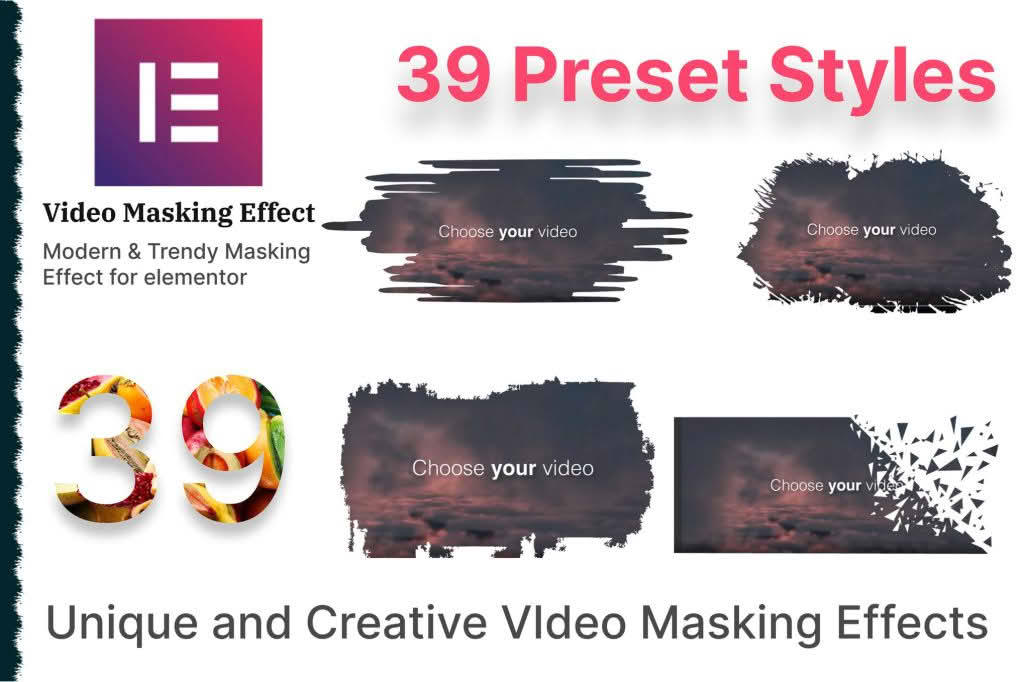
Elevate your website’s visual storytelling with the Masking Video addon for Elementor, a powerful tool designed to transform standard video embeds into captivating, stylized design elements. Whether you are a web designer looking to break away from traditional rectangular video frames or a business owner wanting to create a high-end, polished brand aesthetic, this plugin empowers you to apply custom shapes and masks to your video content directly within the Elementor editor. By seamlessly integrating sophisticated masking techniques, you can ensure your video backgrounds, hero sections, and media galleries stand out with professional-grade creativity.
Key Features
- Custom Shape Masking: Apply a wide variety of geometric, organic, and custom shapes to your videos. Move beyond the standard rectangle and give your media a unique, artistic flair that fits your brand identity.
- Seamless Elementor Integration: Designed specifically for Elementor, this addon functions as a native widget. You can drag, drop, and configure your masked videos using the familiar Elementor interface, ensuring a smooth and intuitive workflow.
- SVG Support: Upload your own custom SVG files to use as masks. This provides limitless design possibilities, allowing you to mask videos into logos, complex icons, or bespoke shapes tailored to your specific project requirements.
- Responsive Controls: Ensure your masked videos look perfect on every device. Configure how your masks behave on desktop, tablet, and mobile screens to maintain visual integrity across all screen sizes.
- Interactive Hover Effects: Add engagement to your media by applying hover effects to your masked videos. Change the mask shape, scale, or opacity when a user interacts with the element to create a more dynamic user experience.
- Performance Optimized: Built with clean, lightweight code, the plugin ensures that your site remains fast and responsive, even when displaying multiple masked video elements on a single page.
Use Cases and Who It’s For
The Masking Video addon is an essential tool for creative professionals and business owners who prioritize visual impact. Web designers and agencies will find this plugin invaluable for creating high-conversion landing pages that require unique, non-standard layouts to capture visitor attention. By using custom masks, you can create immersive hero sections that blend video content seamlessly into your page design, making your site feel like a high-end digital experience rather than a standard template.
For brands and content creators, this plugin offers a simple way to maintain a consistent visual language. If your brand utilizes specific shapes or motifs, you can apply these directly to your video content, reinforcing your identity throughout your website. It is also perfect for portfolio websites, where photographers, videographers, and artists can showcase their work in stylized frames that reflect their unique artistic vision, helping them stand out in a crowded digital marketplace.
Setup and How It Works
Getting started with the Masking Video addon is designed to be straightforward, allowing you to enhance your site in minutes without needing custom CSS or advanced coding knowledge.
- Install and Activate: Once you have installed the plugin, activate it within your WordPress dashboard. It will automatically register as a new widget within your Elementor editor.
- Add the Widget: Open any page or template in Elementor. Search for the “Masking Video” widget in the sidebar and drag it onto your canvas.
- Select Your Video: Choose your video source, whether it is a self-hosted file, a YouTube link, or a Vimeo URL, directly within the widget settings.
- Apply the Mask: Navigate to the “Masking” tab in the widget settings. Select from the library of built-in shapes or upload your own SVG file to instantly apply the mask to your video.
- Fine-Tune Design: Use the provided controls to adjust the positioning, size, and alignment of the mask. You can also configure hover transitions and responsive settings to ensure the final result matches your design vision perfectly.
- Publish: Once you are satisfied with the look, save your changes and publish your page to display your new, stylized video content to your visitors.