
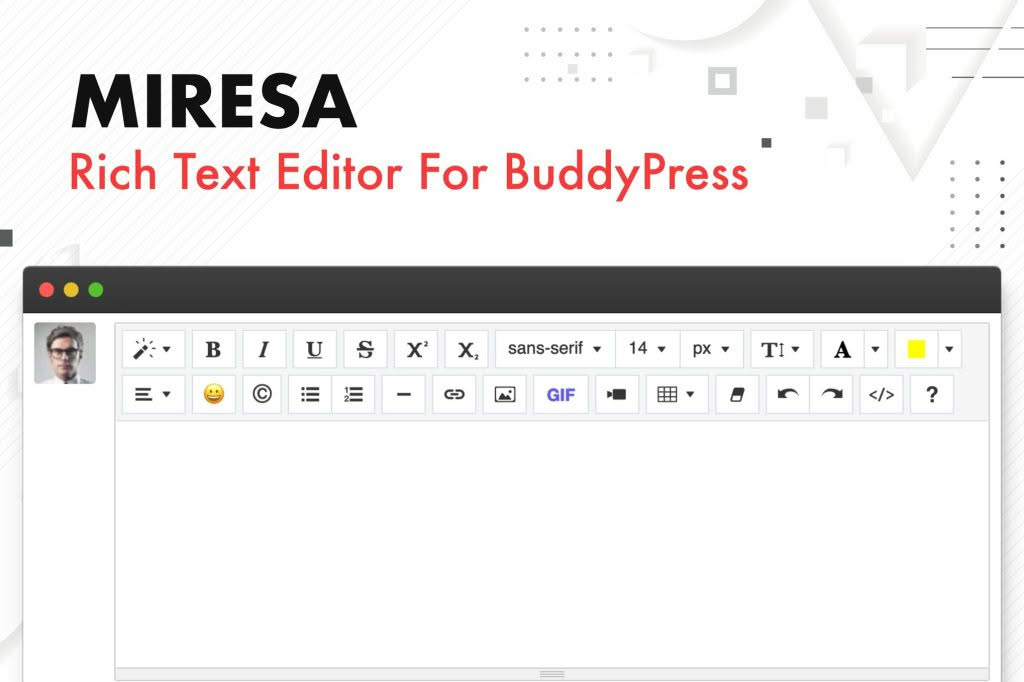
Elevate the communication experience on your community website with Miresa, a powerful WordPress plugin designed to bring a professional-grade rich text editor to BuddyPress. Whether you are running a niche hobbyist forum, a professional networking site, or a large-scale social community, Miresa transforms standard, plain-text comment boxes into dynamic content creation tools. By providing your members with intuitive formatting options, you encourage higher engagement, clearer communication, and a more polished look across your entire community.
Key Features
- Full Rich Text Formatting: Empower your users to format their posts and replies with ease. Miresa provides essential tools like bold, italics, underline, lists, and text alignment, ensuring members can express themselves clearly.
- Seamless BuddyPress Integration: Built specifically for the BuddyPress ecosystem, the editor integrates natively into activity streams, forum replies, and group discussions without disrupting your site’s existing workflow.
- Media Embedding Support: Allow your community members to easily insert images and links directly into their posts, making conversations more visual and interactive.
- Clean and Lightweight Code: Designed with performance in mind, Miresa ensures that adding advanced editing capabilities does not compromise your site’s loading speed or overall stability.
- Responsive Design: The editor is fully mobile-responsive, ensuring that your members have a consistent and functional editing experience whether they are posting from a desktop, tablet, or smartphone.
- User-Friendly Interface: By providing a familiar toolbar similar to standard WordPress post editors, Miresa minimizes the learning curve for your members, allowing them to focus on content rather than technical formatting.
Use Cases / Who It’s For
Miresa is an essential tool for any site administrator looking to cultivate a more professional and interactive community. If you manage a BuddyPress-powered site, you understand that plain text can often lead to misunderstandings or uninspired discussions. Miresa is perfect for community managers who want to foster deeper engagement by giving users the tools they need to structure their thoughts effectively.
This plugin is ideal for educational platforms where students need to format questions, professional networking groups requiring structured feedback, or creative communities where sharing visual inspiration is key. By upgrading the standard BuddyPress input fields, you demonstrate that you value your users’ experience, which in turn helps increase the time spent on your site and the quality of the content generated by your members.
Setup / How It Works
Getting started with Miresa is designed to be straightforward for site administrators of all technical levels.
- Installation: Simply upload the plugin files to your WordPress plugins directory or install it directly through your WordPress dashboard via the “Add New” plugin menu.
- Activation: Once installed, activate the plugin to initialize the integration with your existing BuddyPress components.
- Configuration: Navigate to the plugin settings page to toggle which BuddyPress areas should feature the rich text editor. You can choose to enable it for activity updates, group posts, or forum replies based on your specific community needs.
- Immediate Deployment: Once saved, the standard text areas across your BuddyPress community will be replaced with the Miresa rich text interface, allowing your members to begin using the new formatting tools immediately.
Similar Plugins
While Miresa offers a focused solution for BuddyPress, other options exist for site owners looking to extend their community functionality. Plugins such as BuddyPress Activity Plus provide additional media embedding capabilities, while bbPress WP Tweaks or various dedicated TinyMCE integration plugins for BuddyPress can also be explored if you are looking for specific alternative editor interfaces or extended forum-only functionalities.