
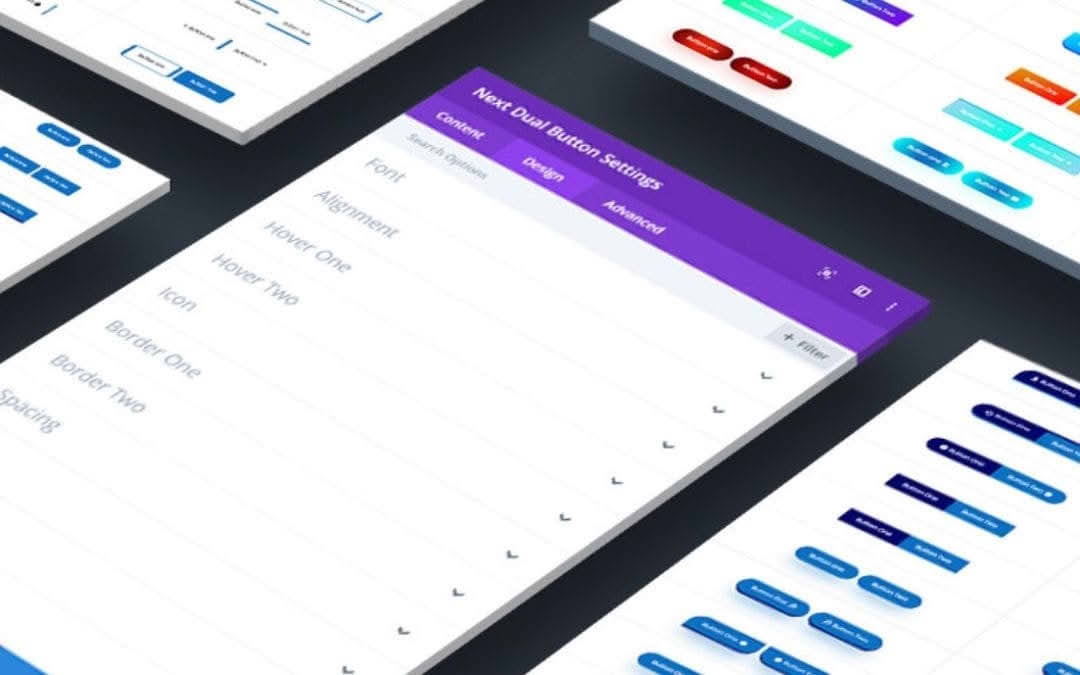
The Divi Next Dual Button plugin empowers Divi users to break free from the limitations of standard call-to-action modules by adding highly customizable, side-by-side dual buttons to their websites. Designed specifically for the Divi Builder, this plugin allows you to guide your visitors through complex decision-making processes, such as choosing between different service plans, comparing product features, or selecting between two distinct paths. By placing two interactive buttons in a single, cohesive module, you can significantly improve your user experience and increase conversion rates by making choices intuitive and visually engaging.
Key Features
- Dual Button Layout: Effortlessly place two distinct buttons side-by-side within a single module, eliminating the need for complex column configurations or custom CSS.
- Independent Styling: Customize each button individually. You have full control over background colors, text styles, border radius, box shadows, and padding for both the primary and secondary buttons.
- Divider Customization: Place a stylish divider‚Äîsuch as text, an icon, or a custom image‚Äîbetween your two buttons to create a clear visual separation or to highlight a specific relationship, like the word “OR” or an “AND” symbol.
- Responsive Design Controls: Ensure your dual buttons look perfect on all devices. The plugin includes responsive settings that allow you to adjust the layout, button width, and spacing for desktop, tablet, and mobile views.
- Hover Effects: Enhance engagement with smooth, built-in hover transition effects for both buttons, helping to draw user attention and provide immediate visual feedback upon interaction.
- Divi Builder Integration: Built specifically for the Divi ecosystem, the module functions natively within the Visual Builder, allowing you to see your changes in real-time without refreshing the page.
- Icon Support: Add icons to either side of your button text to improve readability and visual appeal, with full control over icon placement, size, and color.
Use Cases and Who It’s For
This plugin is an essential tool for web designers, digital marketers, and business owners who rely on the Divi theme to build high-converting landing pages. If you are selling software, hosting, or subscription services, the Divi Next Dual Button is perfect for creating “Compare Plan” sections where users need to quickly choose between two options, such as “Monthly” vs. “Yearly” billing or “Basic” vs. “Pro” features.
Beyond e-commerce, it is an excellent solution for educational websites, portfolio sites, and blogs. Use it to offer visitors clear paths, such as “Read More” vs. “Watch Video,” or “Download Brochure” vs. “Contact Sales.” By simplifying the decision-making process, you reduce friction for your visitors, helping them find exactly what they need faster and keeping them engaged with your content longer.
Setup and How It Works
- Installation: Once you have downloaded the plugin, upload the zip file to your WordPress dashboard via the Plugins menu and activate it.
- Adding the Module: Open your page or post in the Divi Visual Builder. Search for the “Divi Next Dual Button” module in the module library and insert it into your desired row.
- Configuration: Use the Content tab to define the text, links, and icons for both the left and right buttons. You can also configure the central divider element here.
- Styling: Switch to the Design tab to customize the appearance of each button. You can adjust typography, spacing, borders, and shadows to match your brand identity perfectly.
- Responsive Adjustments: Use the Divi responsive icons to fine-tune how the buttons stack or align on smaller screen sizes to ensure a seamless mobile experience.
- Save and Publish: Once you are satisfied with the look and feel, save your changes and publish your page.
Similar Plugins
For users exploring alternatives within the Divi ecosystem, several other developers offer dual button functionality. These include the “Divi Supreme Pro” plugin, which features a Dual Button module as part of its larger extension suite, and “Divi Plus,” which also provides a comprehensive collection of modules including a dedicated dual button option. These alternatives are often bundled with many other features, whereas the Divi Next Dual Button is a more focused, lightweight solution for those who specifically need this functionality without installing a massive library of extra modules.