
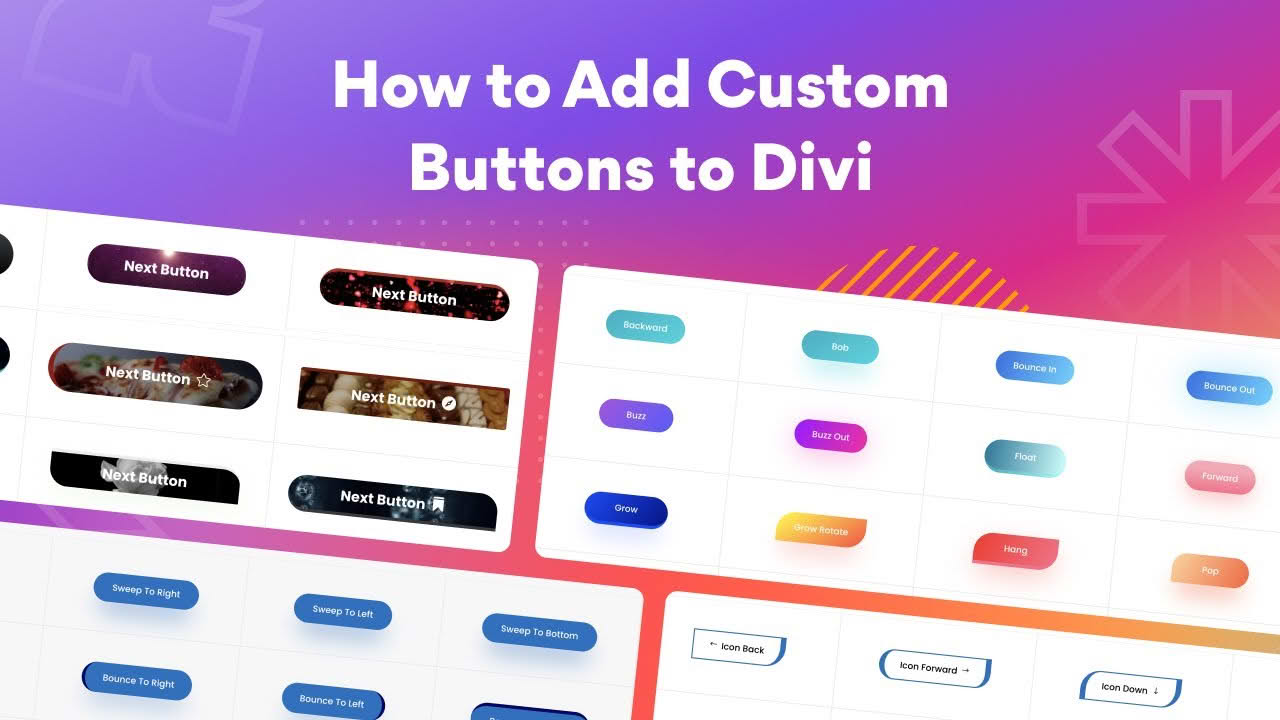
Transform your website’s call-to-action strategy with the Divi Next Button plugin, an advanced button designer built specifically for the Divi ecosystem. Whether you are a web design agency looking to streamline your workflow or a small business owner aiming to increase conversions, this plugin empowers you to create highly customized, eye-catching buttons without writing a single line of code. By replacing standard, static buttons with dynamic, interactive elements, you can significantly elevate your site’s user engagement and professional appeal.
Key Features
- No Coding Required: Design unique, professional-grade buttons using a simple, drag-and-drop interface fully integrated into the Divi Visual Builder.
- Extensive Hover Effects: Choose from over 100 hover effects, including 15+ background animations, 10+ stroke styles, and 10+ icon interactions to make your CTAs stand out.
- Advanced Design Customization: Take full control over your button’s appearance with options for custom background colors, gradients, images, GIFs, and even video backgrounds.
- Creative Borders and Shapes: Easily apply and customize borders, adjust border curves, and use transform controls to create unique button shapes that match your brand identity.
- Full Responsive Control: Ensure your buttons look perfect on every device with built-in responsive settings that allow you to adjust sizes, spacing, and styles for desktop, tablet, and mobile.
- Advanced Filters and Blend Modes: Apply professional-grade filters and blend modes directly to your buttons to achieve sleek, modern visual effects.
- Icon Integration: Enhance your buttons with customizable icons, including options to set specific colors, positions, and hover-only visibility.
- Unlimited Creativity: Create as many unique button designs as you need, ensuring every CTA on your site is tailored to its specific purpose.
Use Cases / Who It’s For
Divi Next Button is designed for anyone who wants to break free from the limitations of default theme buttons. It is an ideal solution for web design freelancers and agencies who need to deliver high-end, custom-branded websites to clients quickly and efficiently. By providing a vast array of design possibilities, it allows designers to match any brand aesthetic perfectly. For small business owners and marketers, the plugin offers a straightforward way to create high-converting, attention-grabbing buttons that guide visitors through the sales funnel, from landing pages to checkout processes. If you want your website to feel more interactive, modern, and professional, this plugin provides the tools to make it happen.
Setup / How It Works
Getting started with Divi Next Button is designed to be seamless for existing Divi users. Once you have installed and activated the plugin, you do not need to learn a new interface or complex settings.
- Installation: Install and activate the plugin via your WordPress dashboard just like any other standard plugin.
- Access the Module: Open the Divi Visual Builder on the page where you want to add a button.
- Select the Module: Look for the new button module provided by Divi Next in the module selection list.
- Customize: Use the intuitive settings panel to configure your text, colors, hover effects, and shapes. Because it is built for Divi, the changes you make are reflected in real-time, allowing you to perfect your design instantly.