
Elevate your website’s visual storytelling with the BWD Lord Icon Elementor Addon, a powerful tool designed to bring static designs to life. In an era where user engagement is paramount, static icons often fail to capture attention. This addon seamlessly integrates with the Elementor page builder, allowing you to incorporate high-quality, animated Lordicon icons directly into your pages, headers, footers, and sections. Whether you are aiming to guide user focus, add a touch of modern flair, or simply make your brand more memorable, this plugin provides the flexibility and ease of use required to create professional, motion-rich experiences without writing a single line of code.
Key Features
- Seamless Elementor Integration: Designed specifically for the Elementor ecosystem, allowing you to drag and drop animated icons directly into your layouts with familiar controls.
- Extensive Icon Library: Gain access to a vast collection of professional, high-quality animated icons that cover a wide range of industries and functional categories.
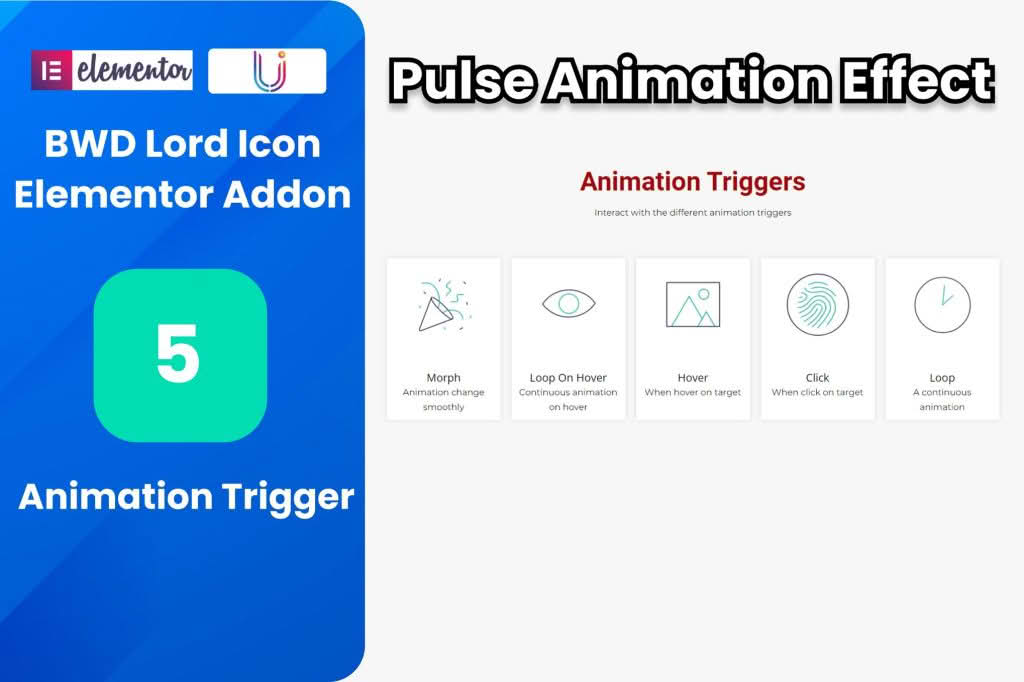
- Customizable Animation Triggers: Control exactly how your icons behave. Choose from various triggers such as hover, click, or page load to ensure your animations occur at the perfect moment.
- Full Styling Control: Adjust the size, color, stroke width, and animation speed of your icons to perfectly match your website’s branding and design language.
- Lightweight Performance: Engineered to ensure your website remains fast and responsive, minimizing the impact of animations on your page loading times.
- Responsive Design: Icons automatically adapt to different screen sizes, ensuring your animated elements look crisp and function correctly on desktops, tablets, and mobile devices.
- User-Friendly Interface: A clean and intuitive settings panel within the Elementor editor makes it easy for both beginners and experienced developers to configure animations in seconds.
Use Cases and Who It’s For
The BWD Lord Icon Elementor Addon is an essential asset for anyone looking to modernize their web presence. Web designers and agencies will find it invaluable for adding that “wow” factor to client projects, transforming standard landing pages into interactive experiences that keep visitors engaged longer. For small business owners and entrepreneurs, it offers a simple way to highlight key services, call-to-action buttons, or contact information, making these elements stand out in a crowded digital landscape.
Content creators and bloggers can use these animations to break up long-form text, using icons as visual anchors that guide readers through their content. Furthermore, e-commerce store owners can utilize animated icons to draw attention to important features like “Free Shipping,” “Secure Checkout,” or “Customer Support,” effectively reducing friction and potentially increasing conversion rates by making the user journey more intuitive and enjoyable.
Setup and How It Works
- Install and Activate: After downloading the plugin, upload the zip file to your WordPress site via the Plugins menu and activate it.
- Open Elementor: Navigate to the page or template where you wish to add an animation and open it with the Elementor editor.
- Locate the Widget: Search for the BWD Lord Icon widget within the Elementor panel on the left-hand side.
- Drag and Drop: Drag the widget onto your desired section or column.
- Configure Settings: Use the Content and Style tabs to select your preferred icon, adjust the animation behavior, set the colors, and tweak the sizing to fit your design.
- Publish: Once you are satisfied with the look and feel, update or publish your page to see the animated icons in action.
Similar Plugins
If you are exploring various ways to incorporate motion into your Elementor-based site, you may also consider other animation-focused tools. Plugins such as Essential Addons for Elementor, Premium Addons for Elementor, and Unlimited Elements for Elementor often feature modules for Lottie animations or icon sets that provide alternative ways to integrate motion graphics into your web projects.