
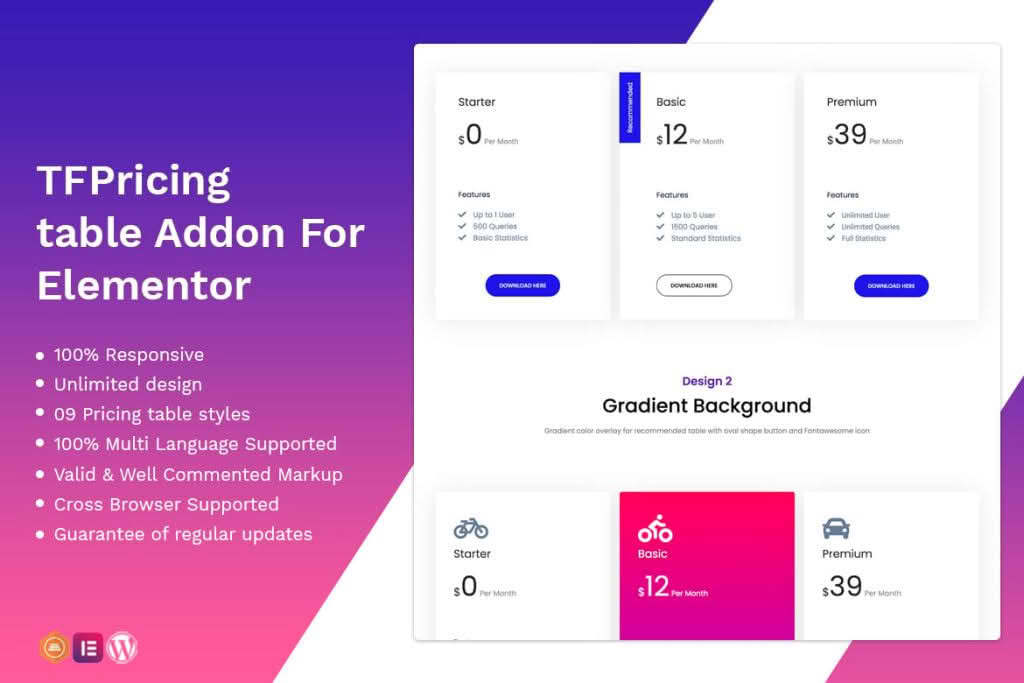
Transform your website’s conversion rates by presenting your services, subscription plans, or product packages in a clear, visually compelling format. The Pricing Table addon for Elementor is designed specifically for store owners, service providers, and agencies who need a professional, high-converting way to display options without writing a single line of code. By integrating seamlessly into the Elementor page builder, this plugin allows you to create responsive, stylish pricing structures that guide your visitors toward the purchase decision.
Key Features
- Drag-and-Drop Interface: Fully compatible with Elementor, allowing you to place and customize your pricing tables anywhere on your site using the familiar builder interface.
- Fully Responsive Design: Your pricing tables will automatically adjust to look perfect on desktops, tablets, and mobile devices, ensuring a consistent user experience regardless of the screen size.
- Extensive Customization Options: Take full control over your design. Adjust colors, typography, borders, shadows, and button styles to perfectly match your brand identity.
- Highlight Featured Plans: Easily draw attention to your most popular or recommended tier with built-in ribbon or badge settings to increase visibility and drive more clicks.
- Interactive Elements: Add hover effects, smooth animations, and clear call-to-action buttons that encourage user engagement and improve click-through rates.
- Icon and Image Support: Enhance your pricing tiers by adding icons or custom images to represent different features, making complex offerings easier for customers to digest at a glance.
- Flexible Layouts: Choose from various layout styles to fit your specific page structure, whether you need a simple two-column comparison or a comprehensive multi-tier table.
Use Cases / Who It’s For
This plugin is an essential tool for any business owner who wants to simplify the decision-making process for their customers. If you offer tiered service packages, such as monthly subscriptions, software licenses, or professional consulting services, a pricing table is the most effective way to compare value side-by-side. Agencies use this addon to showcase their service packages clearly, while e-commerce store owners leverage it to upsell different product bundles. Freelancers, SaaS companies, and educational platforms will find this tool invaluable for presenting complex information in a clean, professional, and persuasive manner that reduces customer friction and boosts sales.
Setup / How It Works
- Install and Activate: Upload and activate the plugin through your WordPress dashboard just like any other standard plugin.
- Open Elementor: Navigate to the page or post where you want to display your pricing table and open the Elementor editor.
- Locate the Widget: Search for the Pricing Table widget in the Elementor sidebar panel and drag it onto your desired section.
- Configure Content: Use the Content tab to define your pricing tiers, add features, set titles, and link your call-to-action buttons to your checkout or contact pages.
- Style to Perfection: Switch to the Style tab to customize fonts, colors, spacing, and borders to ensure the table aligns perfectly with your website’s design language.
- Publish: Once you are satisfied with the look and feel, update or publish your page to make your new pricing table live for your visitors.
Similar Plugins
If you are exploring options for pricing table functionality within the WordPress ecosystem, there are several other notable solutions available. Plugins such as Essential Addons for Elementor, Premium Addons for Elementor, and PowerPack for Elementor also include robust pricing table widgets as part of their broader suites of Elementor extensions. Additionally, dedicated plugins like Pricing Table by Supsystic or Easy Pricing Tables offer standalone solutions if you require specialized, non-builder-specific functionality.